How to check in the apartment?

How to check in Business and Leisure | New | Wi-Fi | Metro Station 1
Step 1

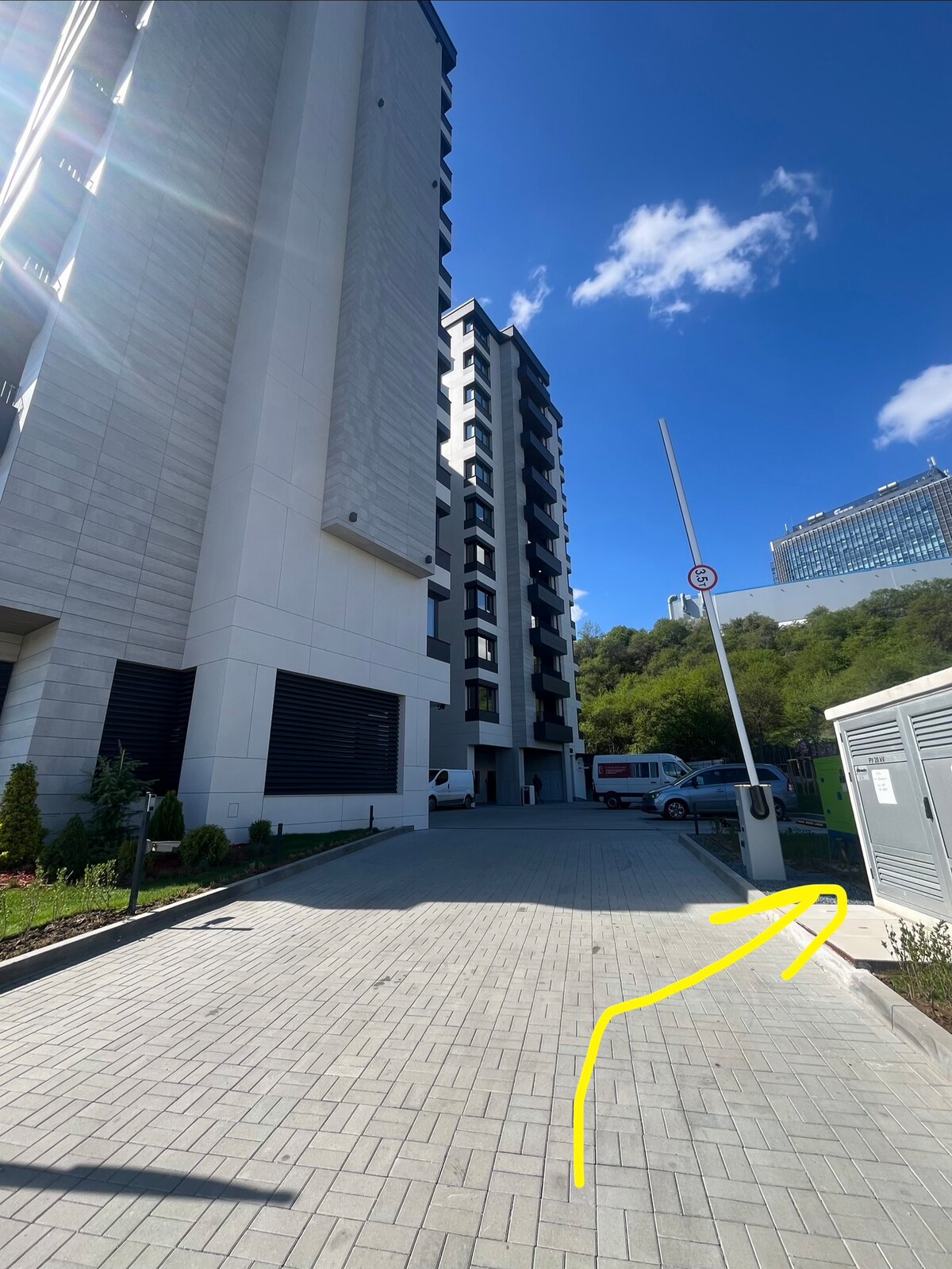
This is the building and the entrance through the barrier.
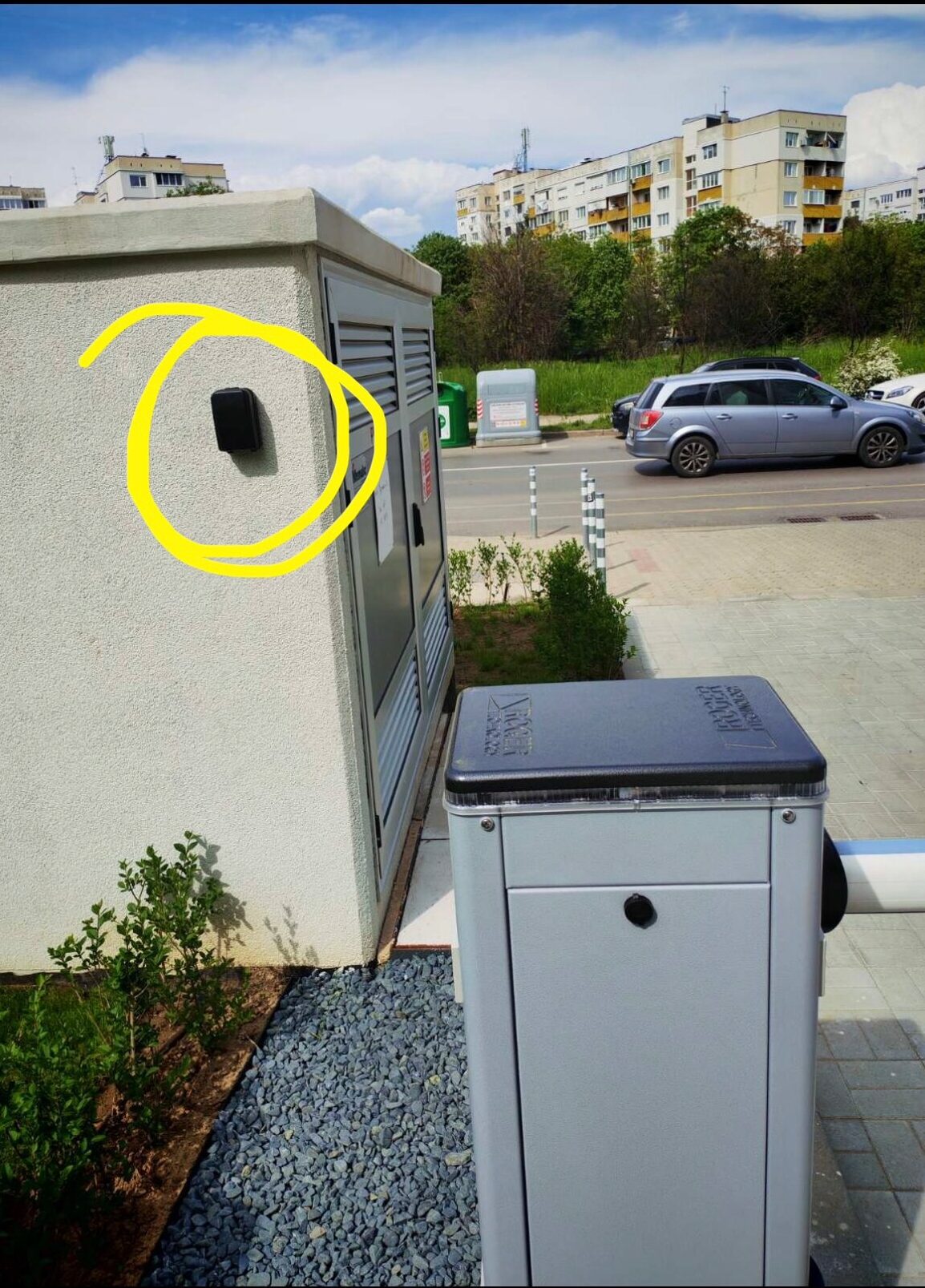
The lockbox is located on the right side of the barrier on the wall. Overlooking the building.
How to check in Business and Leisure | New | Wi-Fi | Metro Station 1
How to check in Business and Leisure | New | Wi-Fi | Metro Station 5
Step 2

The small black box.
Open the lockbox by pulling the black lid down, use the code 0208, take the keys, close the lid, shuffle the numbers and pull up the black metal cover again.
How to check in Business and Leisure | New | Wi-Fi | Metro Station 5
How to check in Business and Leisure | New | Wi-Fi | Metro Station 9
Step 3

When you take the keys, use the fob by touching this device on the left side of the barrier on the dedicated spot to lift up the barrier.
How to check in Business and Leisure | New | Wi-Fi | Metro Station 9
How to check in Business and Leisure | New | Wi-Fi | Metro Station 13
Step 4

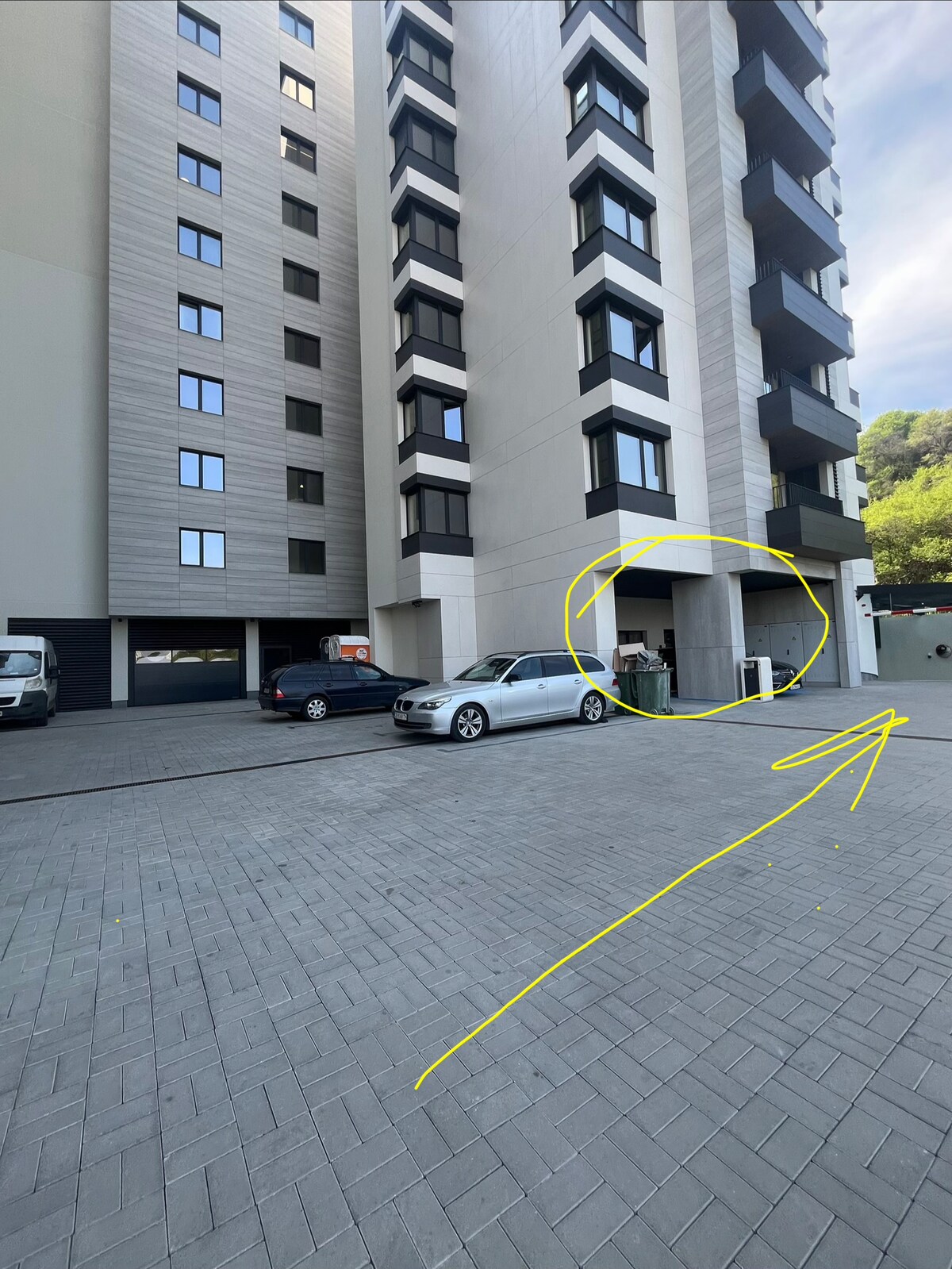
To park your car inside the underground parking lot - continue straight to reach the underground parking following the arrow.

The yellow circle is showing where the entrance for the building is.
How to check in Business and Leisure | New | Wi-Fi | Metro Station 13
How to check in Business and Leisure | New | Wi-Fi | Metro Station 17
Step 5

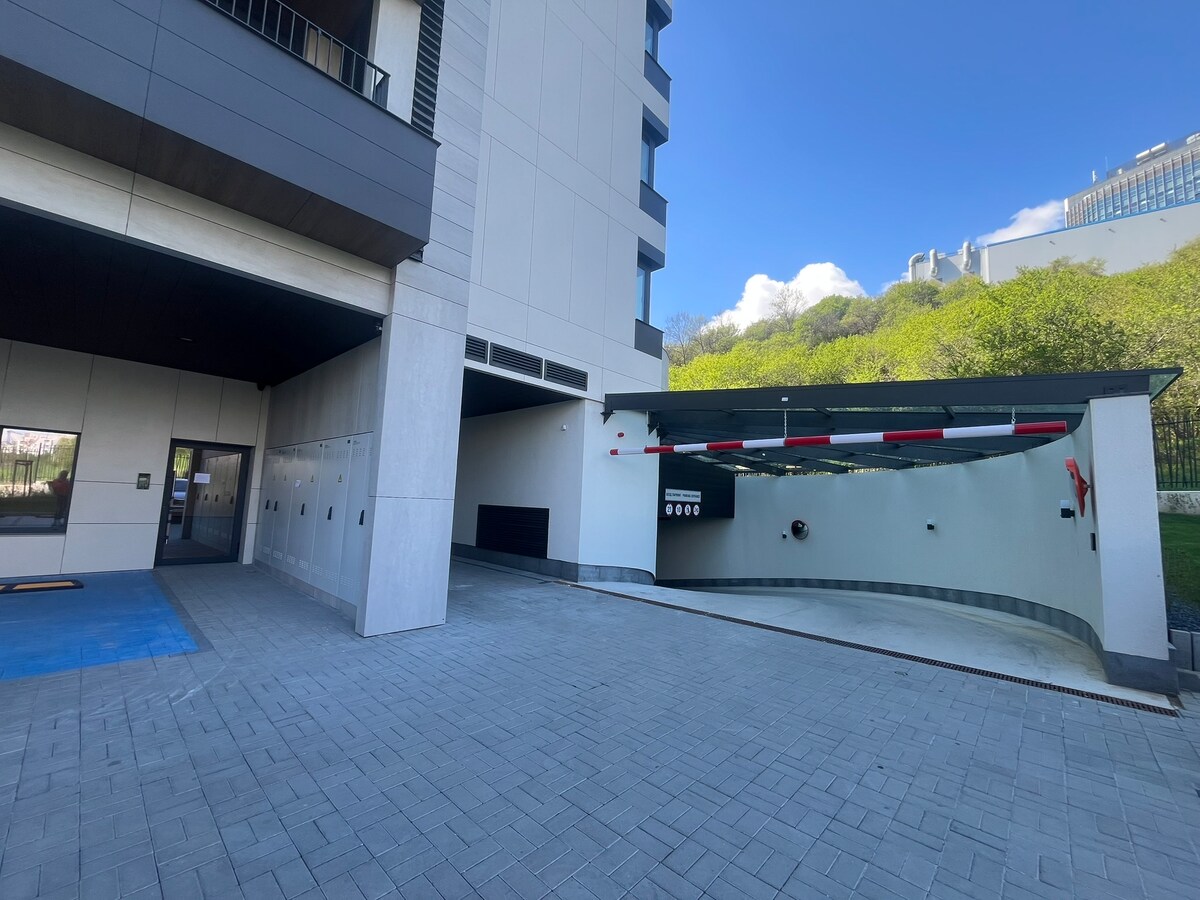
This is the entrance for the underground parking on the right and on the left side you can see the entrance for the building (glassed door)
How to check in Business and Leisure | New | Wi-Fi | Metro Station 17
How to check in Business and Leisure | New | Wi-Fi | Metro Station 21
Step 6

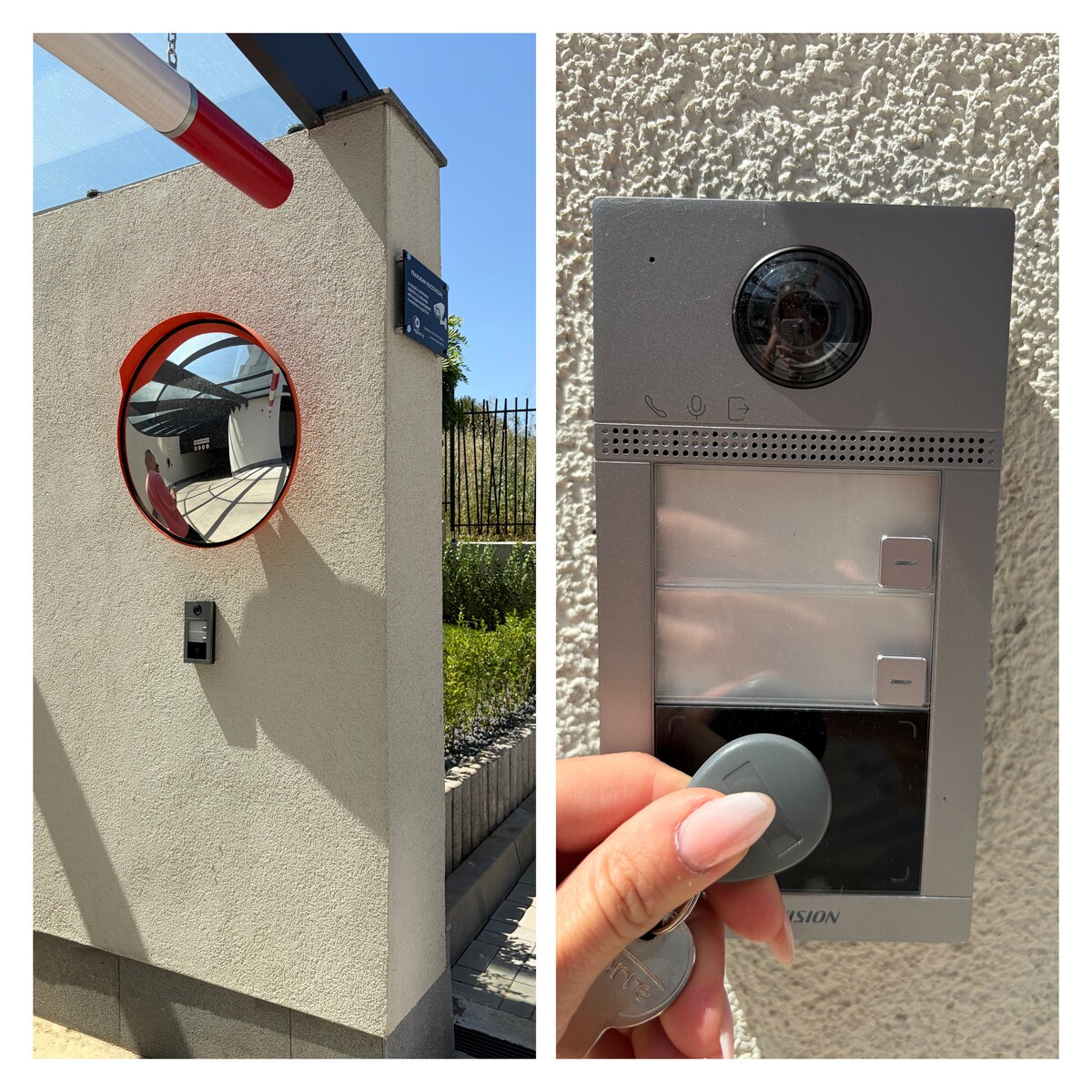
To open the underground door touch the dedicated spot with the fob, located on the right side below the mirror.
How to check in Business and Leisure | New | Wi-Fi | Metro Station 21
How to check in Business and Leisure | New | Wi-Fi | Metro Station 25
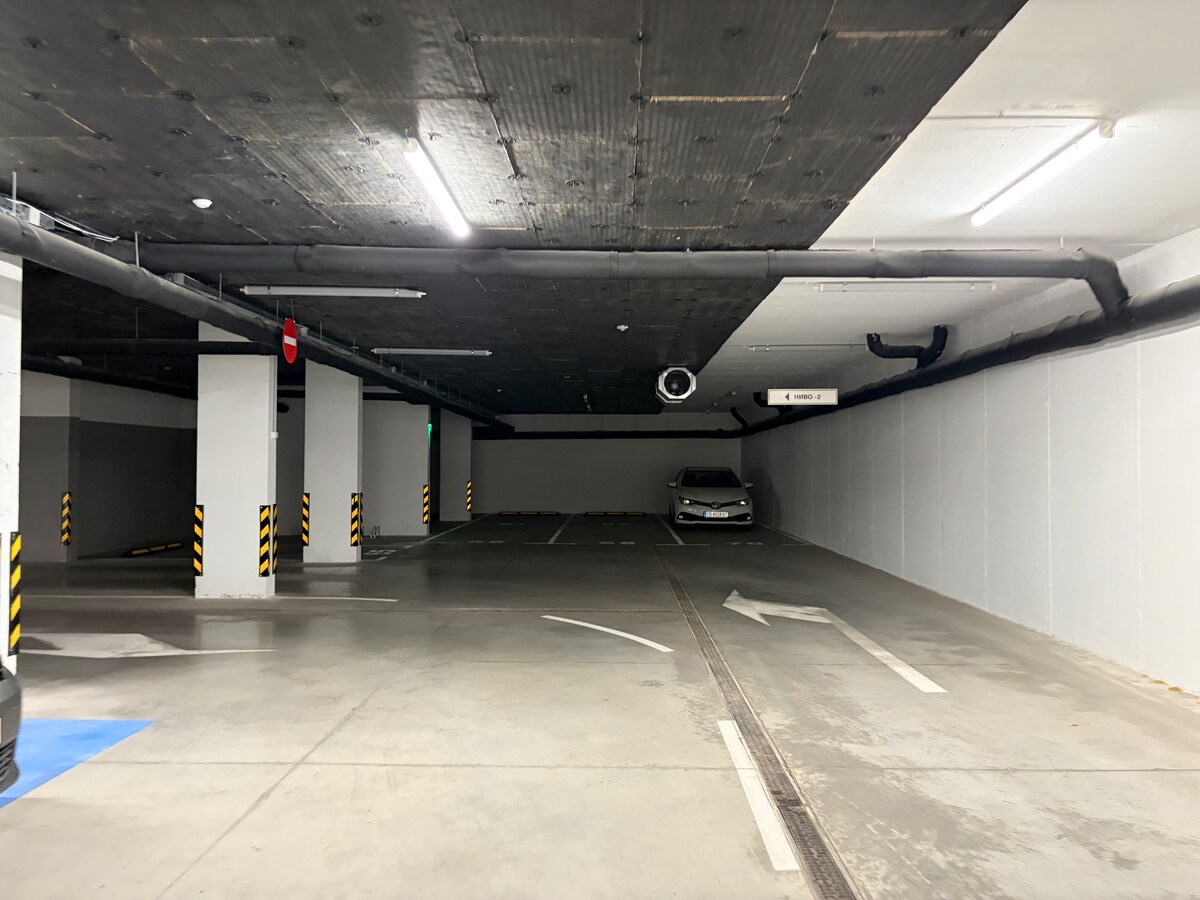
Step 7

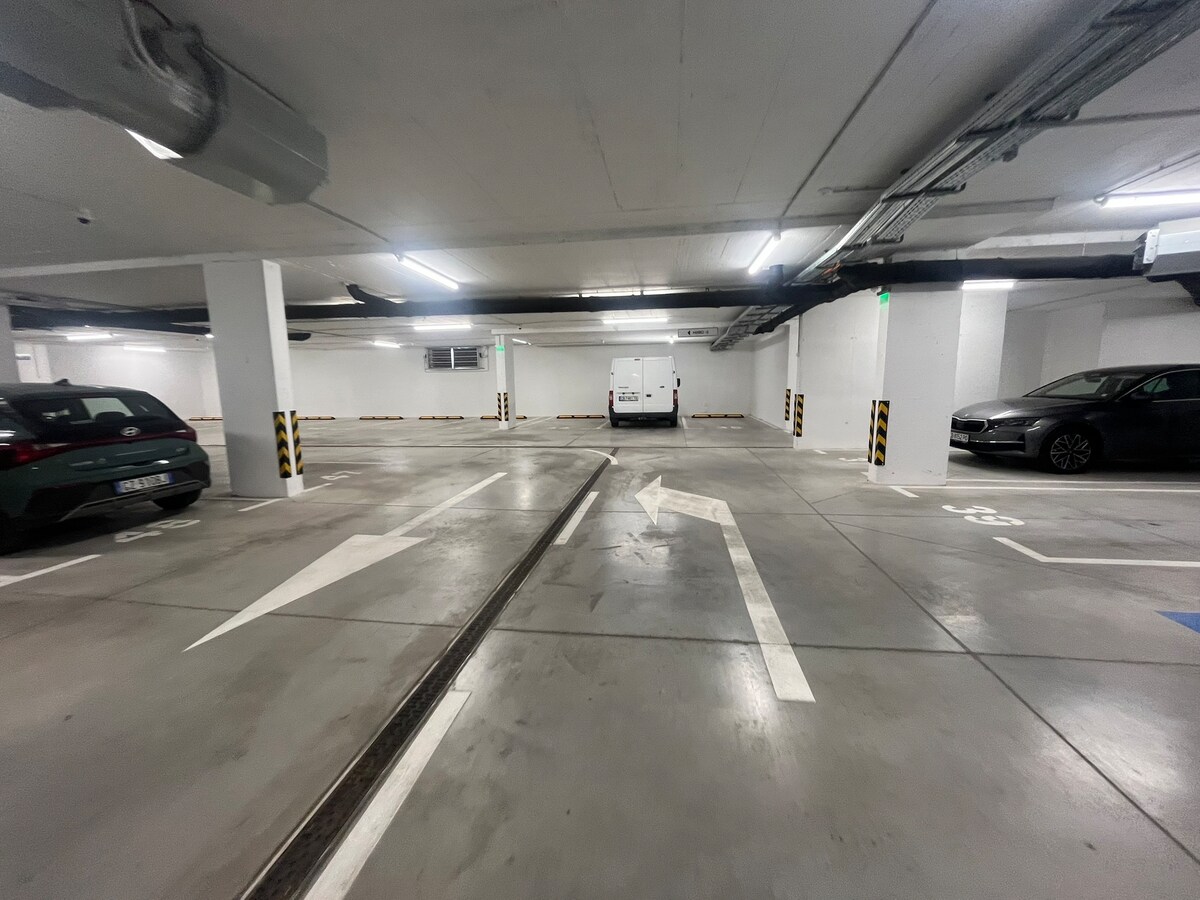
When you enter the underground garage follow the left arrow and make a left turn
How to check in Business and Leisure | New | Wi-Fi | Metro Station 25
How to check in Business and Leisure | New | Wi-Fi | Metro Station 29
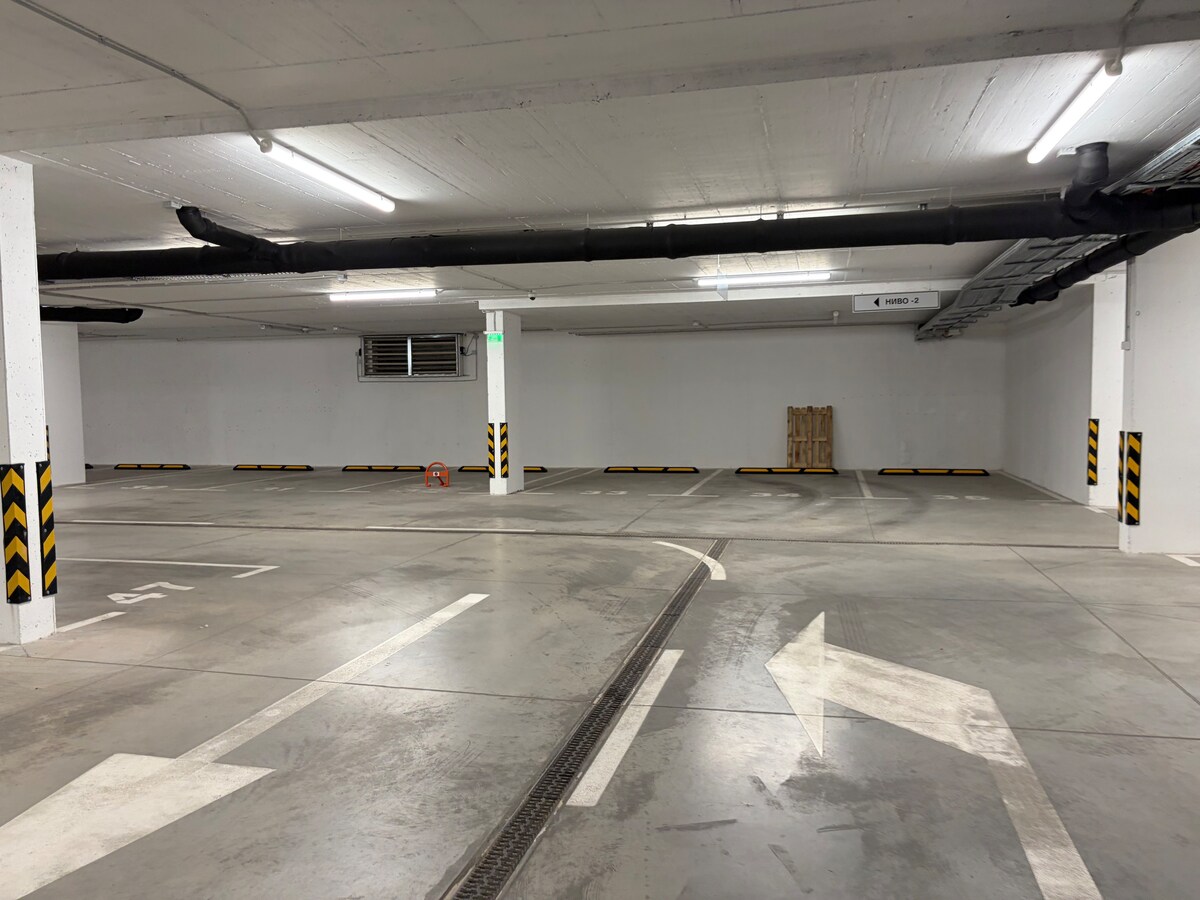
Step 8

Take the left again and you will see the parking spot on the left side.
How to check in Business and Leisure | New | Wi-Fi | Metro Station 29
How to check in Business and Leisure | New | Wi-Fi | Metro Station 33
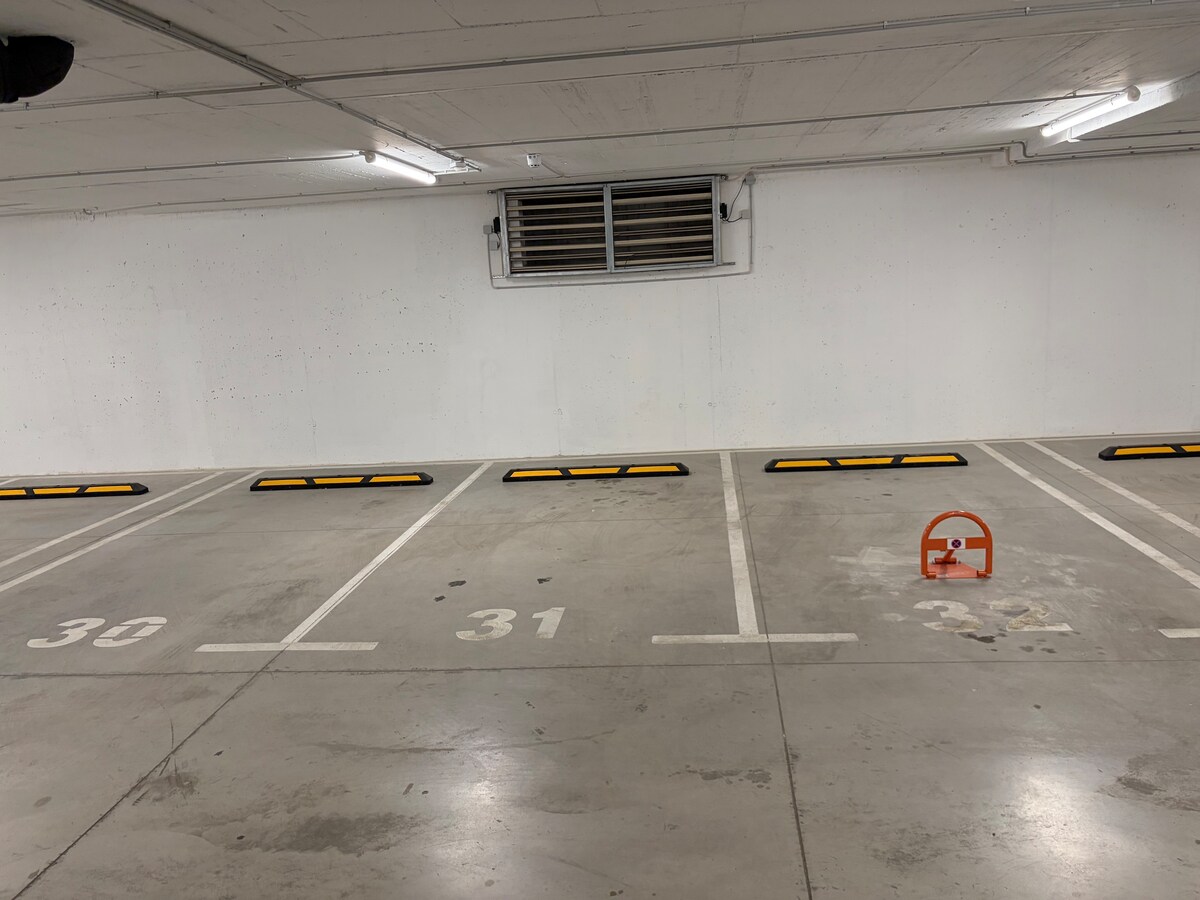
Step 9

Our parking lot is located on the left side on the small orange parking barrier on the floor
How to check in Business and Leisure | New | Wi-Fi | Metro Station 33
How to check in Business and Leisure | New | Wi-Fi | Metro Station 37
Step 10

Parking spot 31

How to check in Business and Leisure | New | Wi-Fi | Metro Station 37
How to check in Business and Leisure | New | Wi-Fi | Metro Station 41
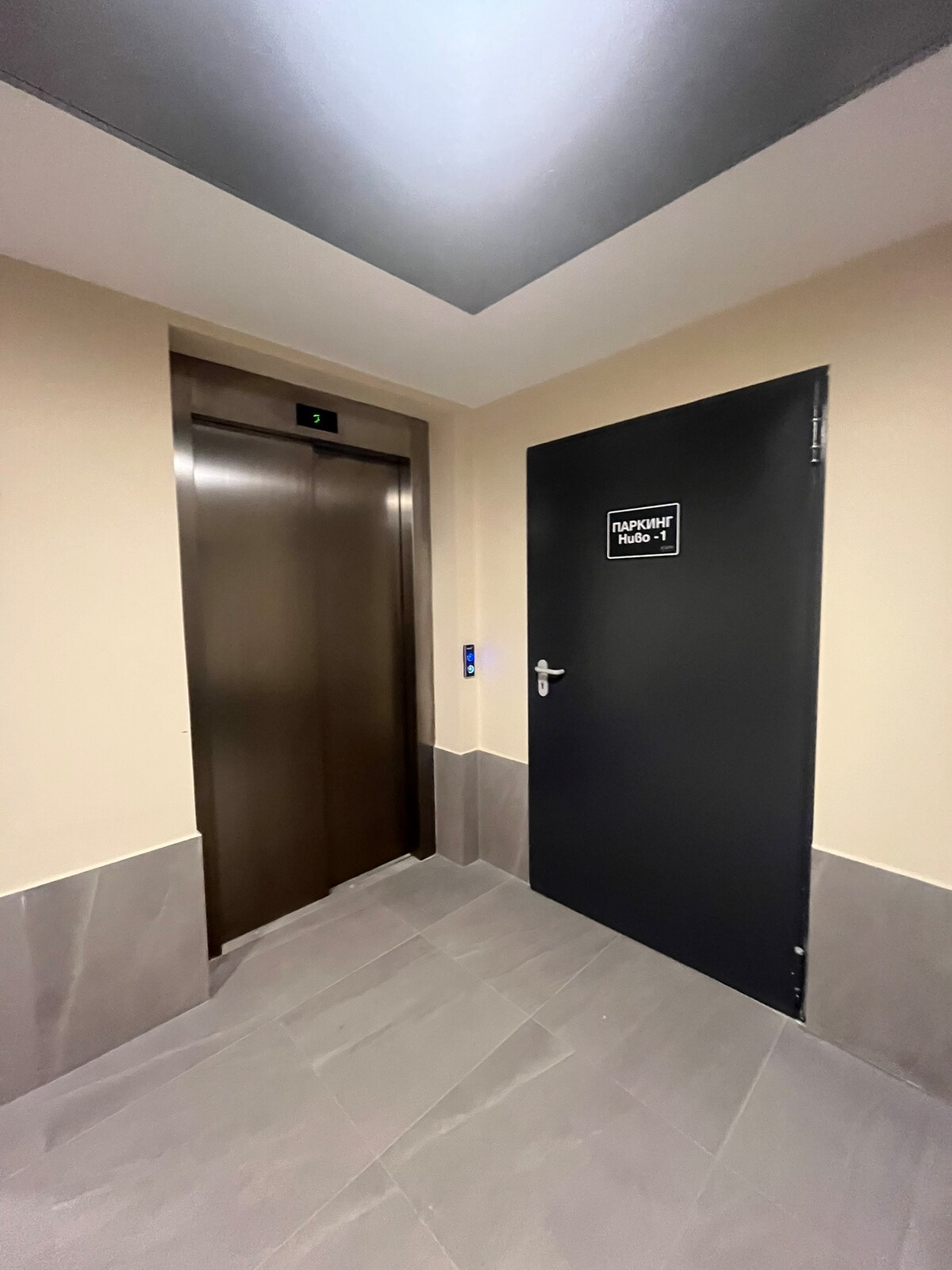
Step 11

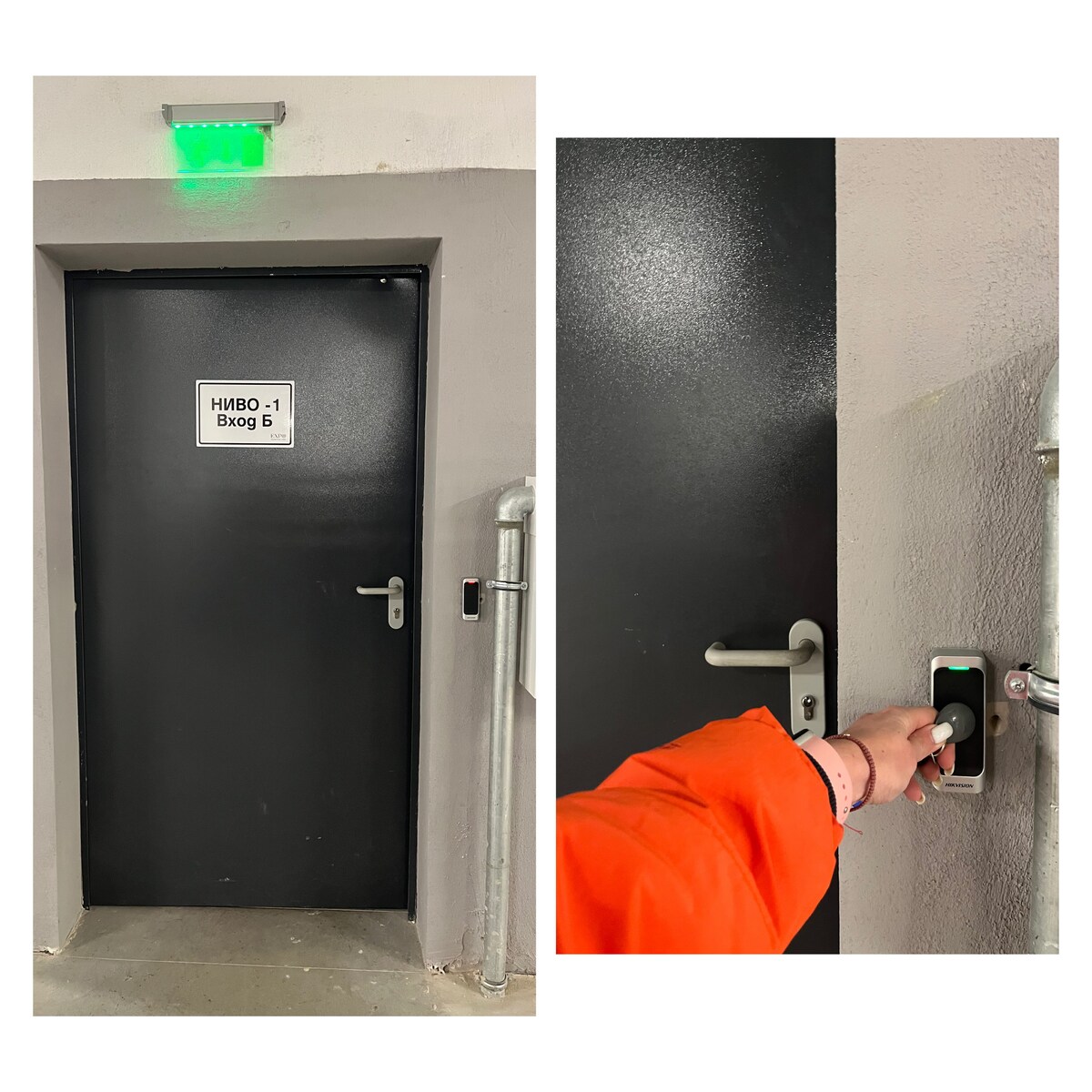
When you park your car go trough the door across.
Open it by touching the dedicated place with the fob.
How to check in Business and Leisure | New | Wi-Fi | Metro Station 41
How to check in Business and Leisure | New | Wi-Fi | Metro Station 45
Step 12

You will go through 3 doors and you are reaching the elevator.
Select 8 floor.
How to check in Business and Leisure | New | Wi-Fi | Metro Station 45
How to check in Business and Leisure | New | Wi-Fi | Metro Station 49
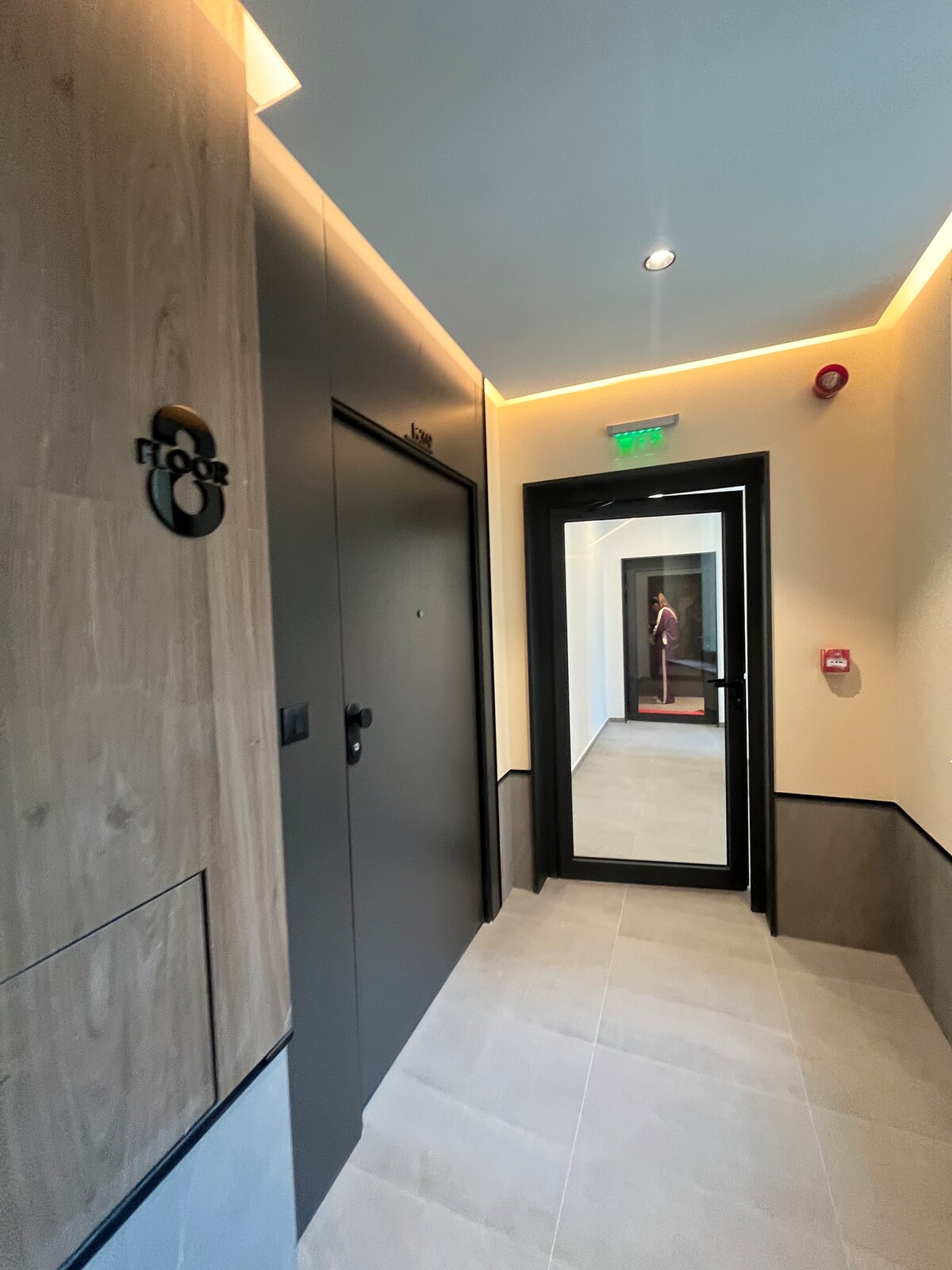
Step 13

When you get out of the elevator take a right turn and go through the two glassed doors.
How to check in Business and Leisure | New | Wi-Fi | Metro Station 49
How to check in Business and Leisure | New | Wi-Fi | Metro Station 53
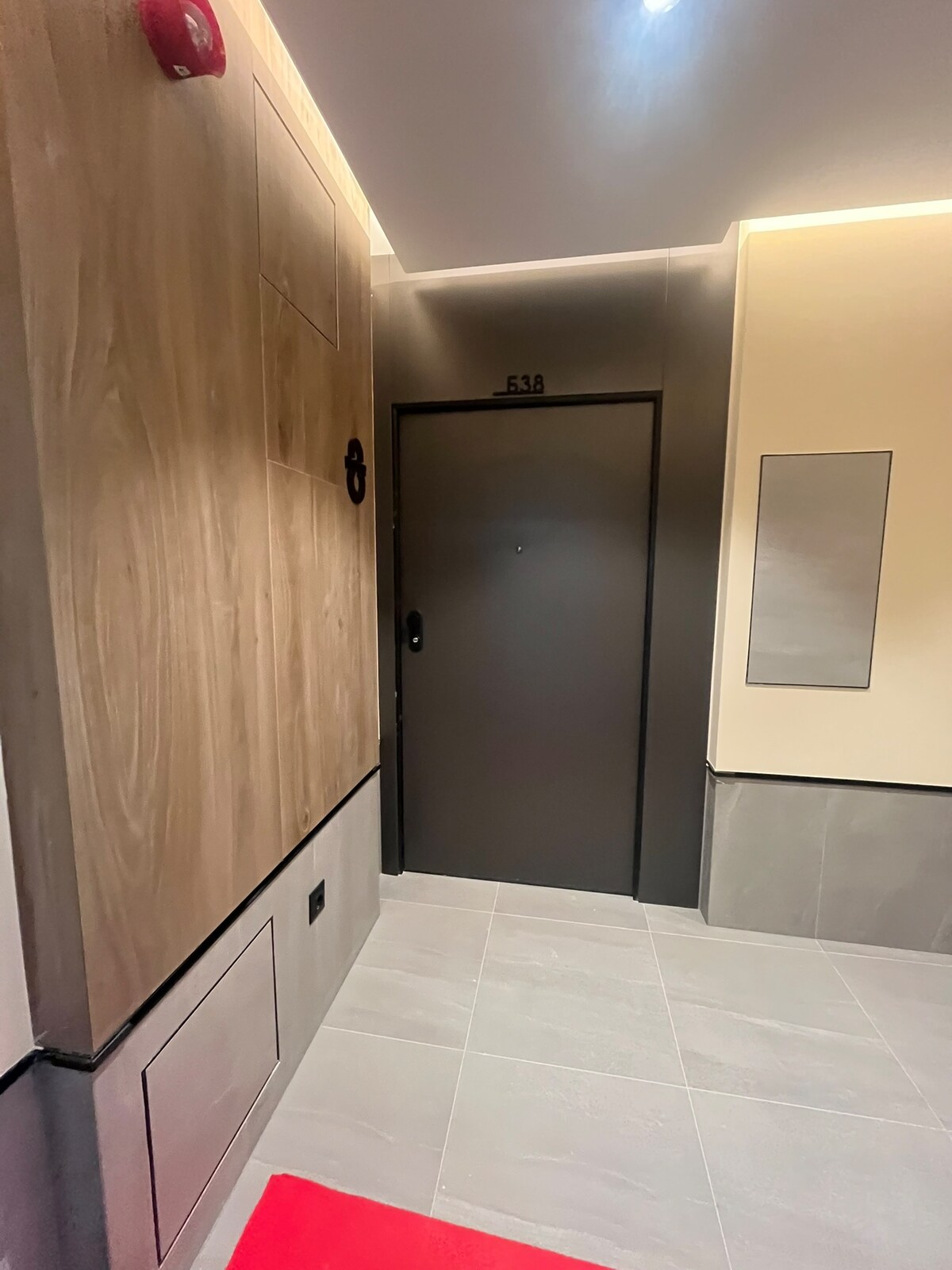
Step 14

The door of the apartment will be right in front of you.
Number of the apartment Б 38
How to check in Business and Leisure | New | Wi-Fi | Metro Station 53
How to check in Business and Leisure | New | Wi-Fi | Metro Station 57
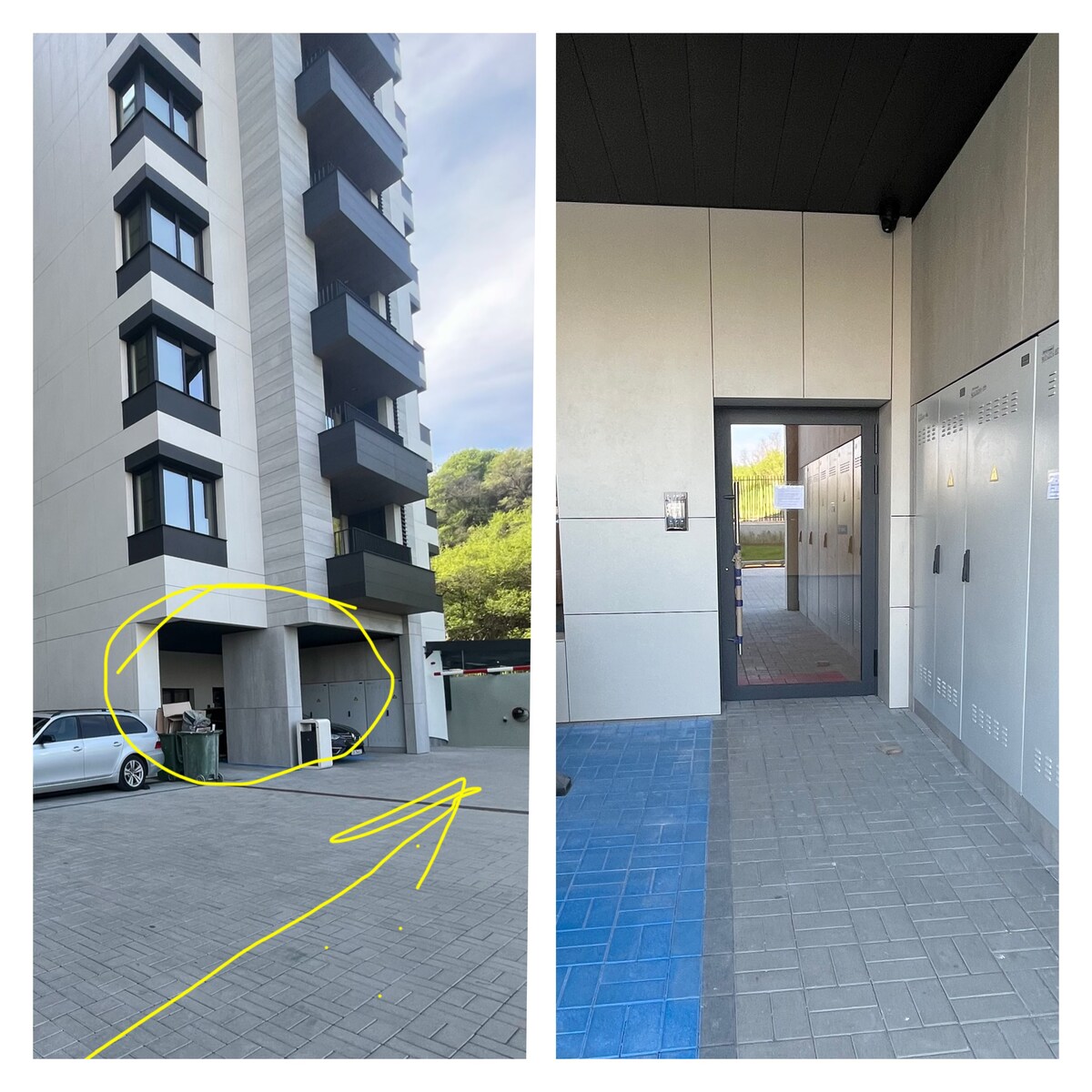
Step 15

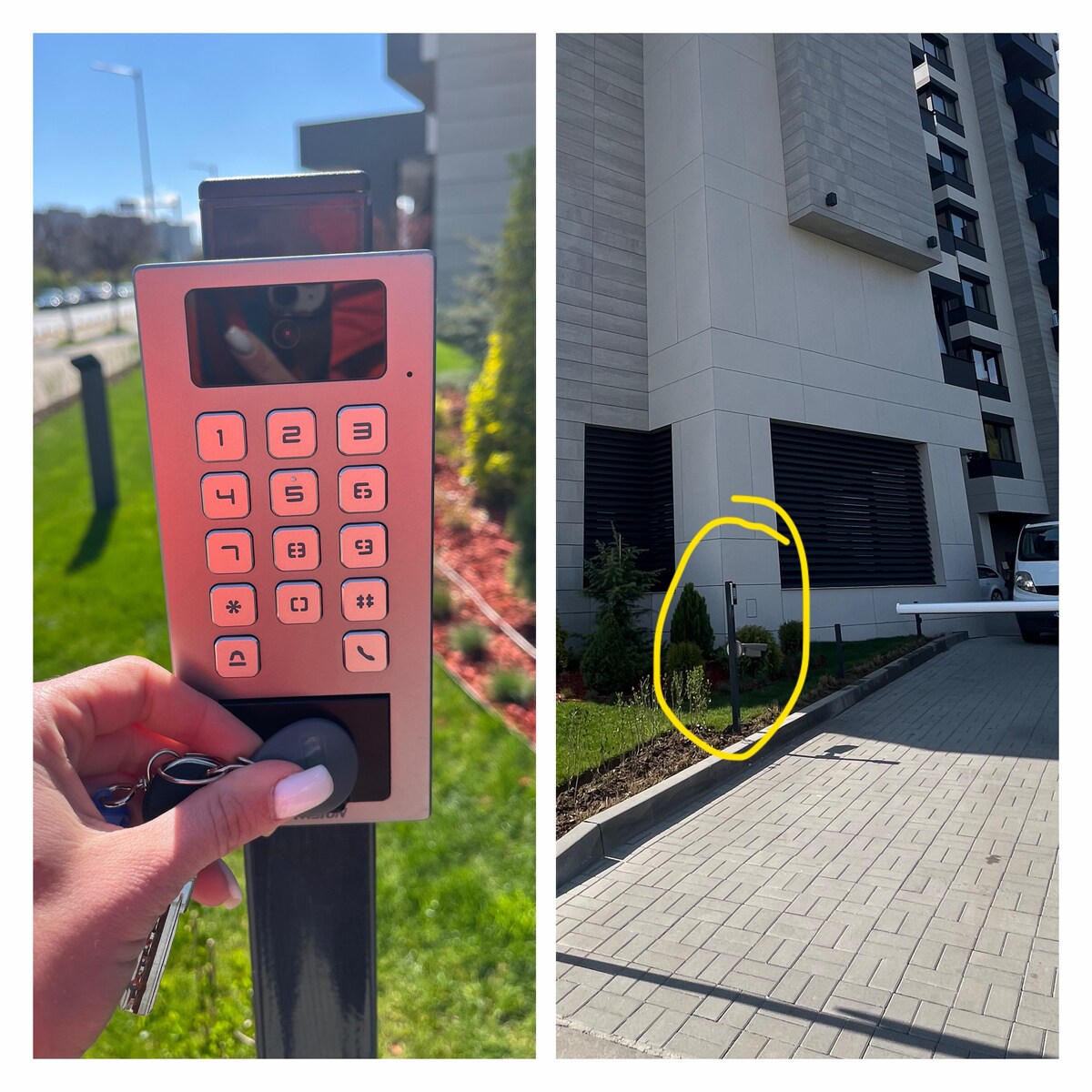
If you are coming without car take the keys from the lockbox and take a left run here before the underground parking entrance.
How to check in Business and Leisure | New | Wi-Fi | Metro Station 57
How to check in Business and Leisure | New | Wi-Fi | Metro Station 61
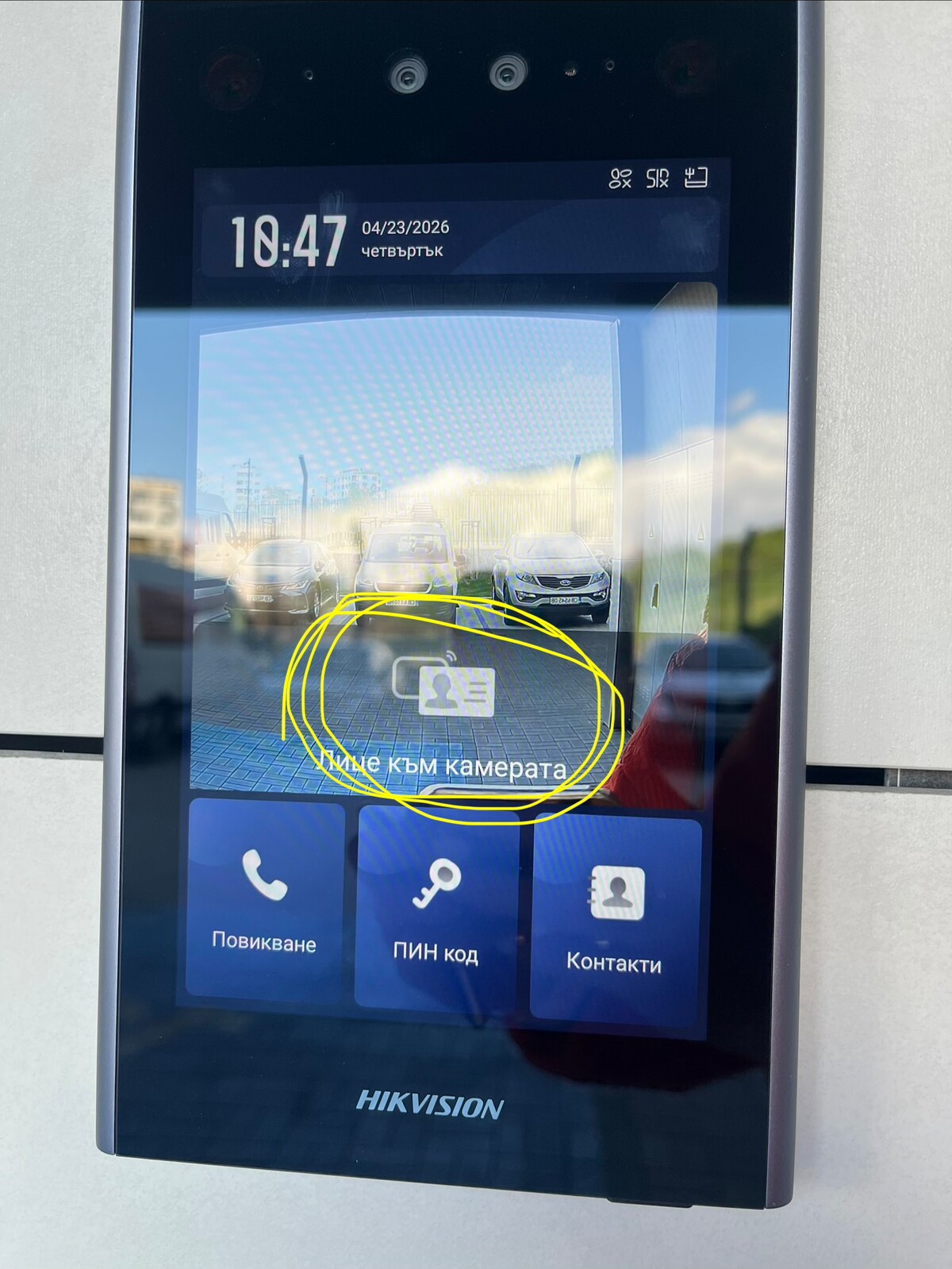
Step 16

Touch the device with the fog where the yellow circle is.
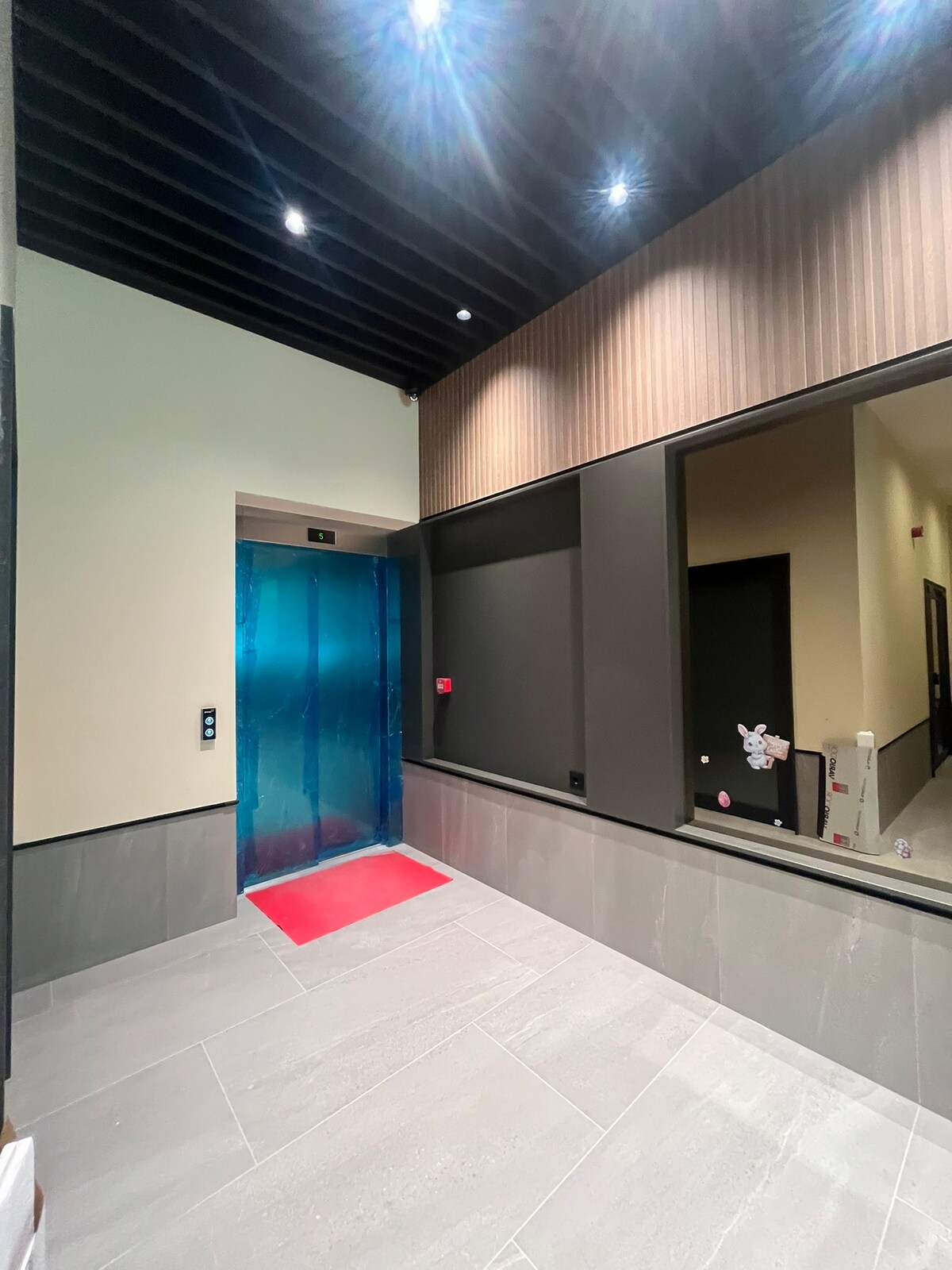
How to check in Business and Leisure | New | Wi-Fi | Metro Station 61
How to check in Business and Leisure | New | Wi-Fi | Metro Station 65
Step 17

When you enter the building go straight then right turn and reach the elevator.
Floor 8 ap Б38

How to check in Business and Leisure | New | Wi-Fi | Metro Station 65