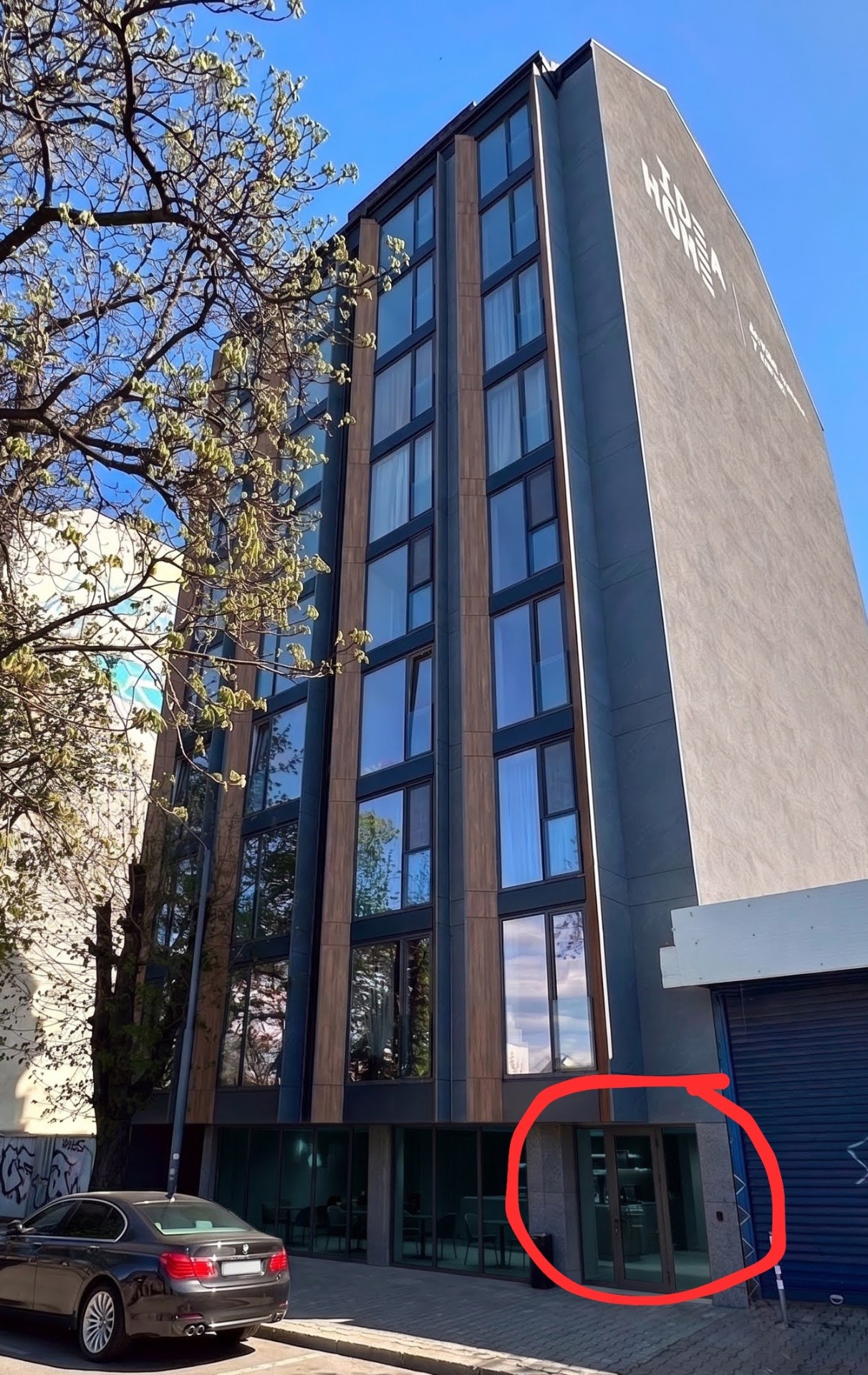
How to check in the apartment?

How to Check In at Downtown Opia 1
Step 1

Go to the main entrance of the building.
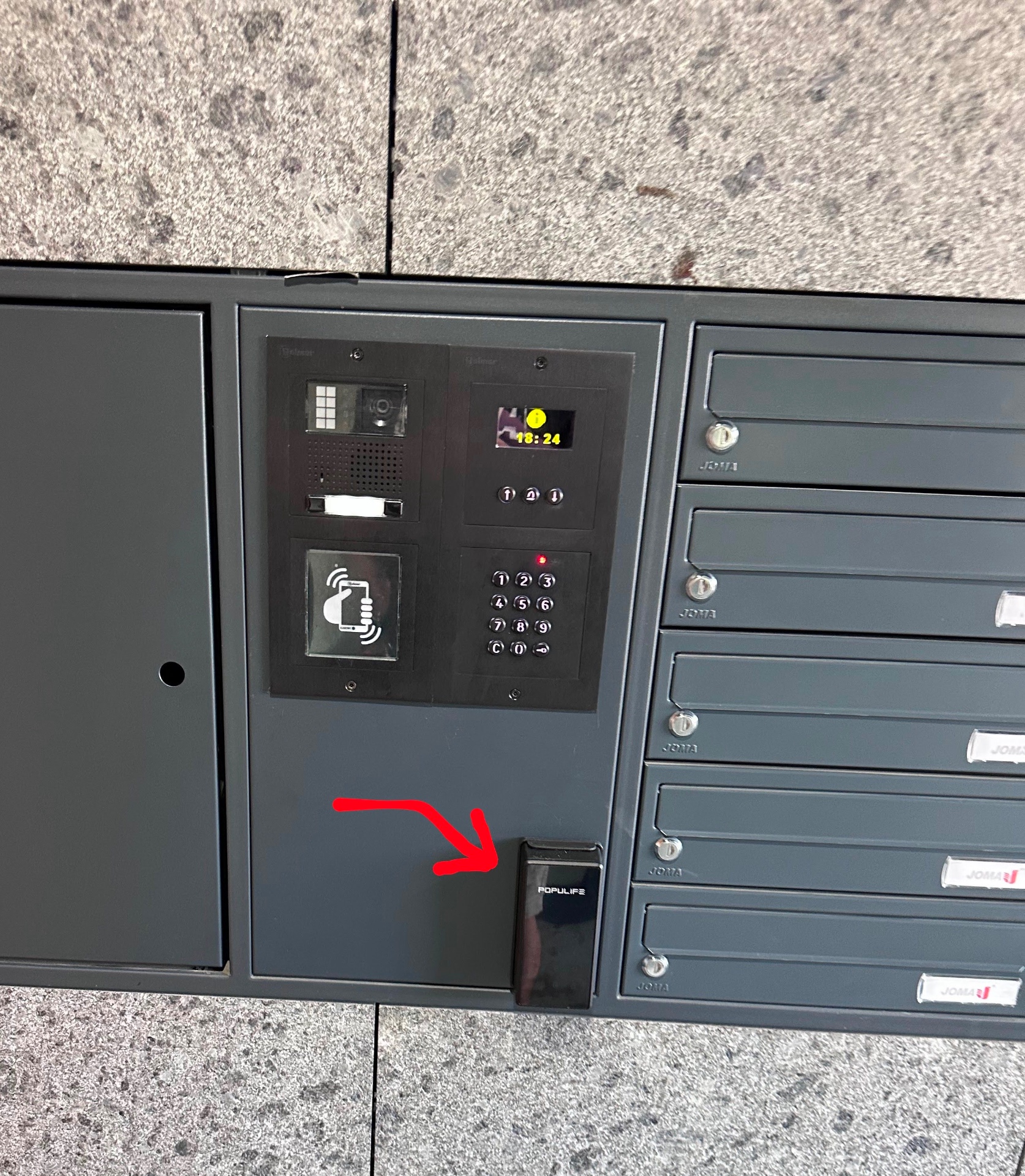
How to Check In at Downtown Opia 1
How to Check In at Downtown Opia 5
Step 2

Enter the code 6221759 into the locker and press the 🔒 button.
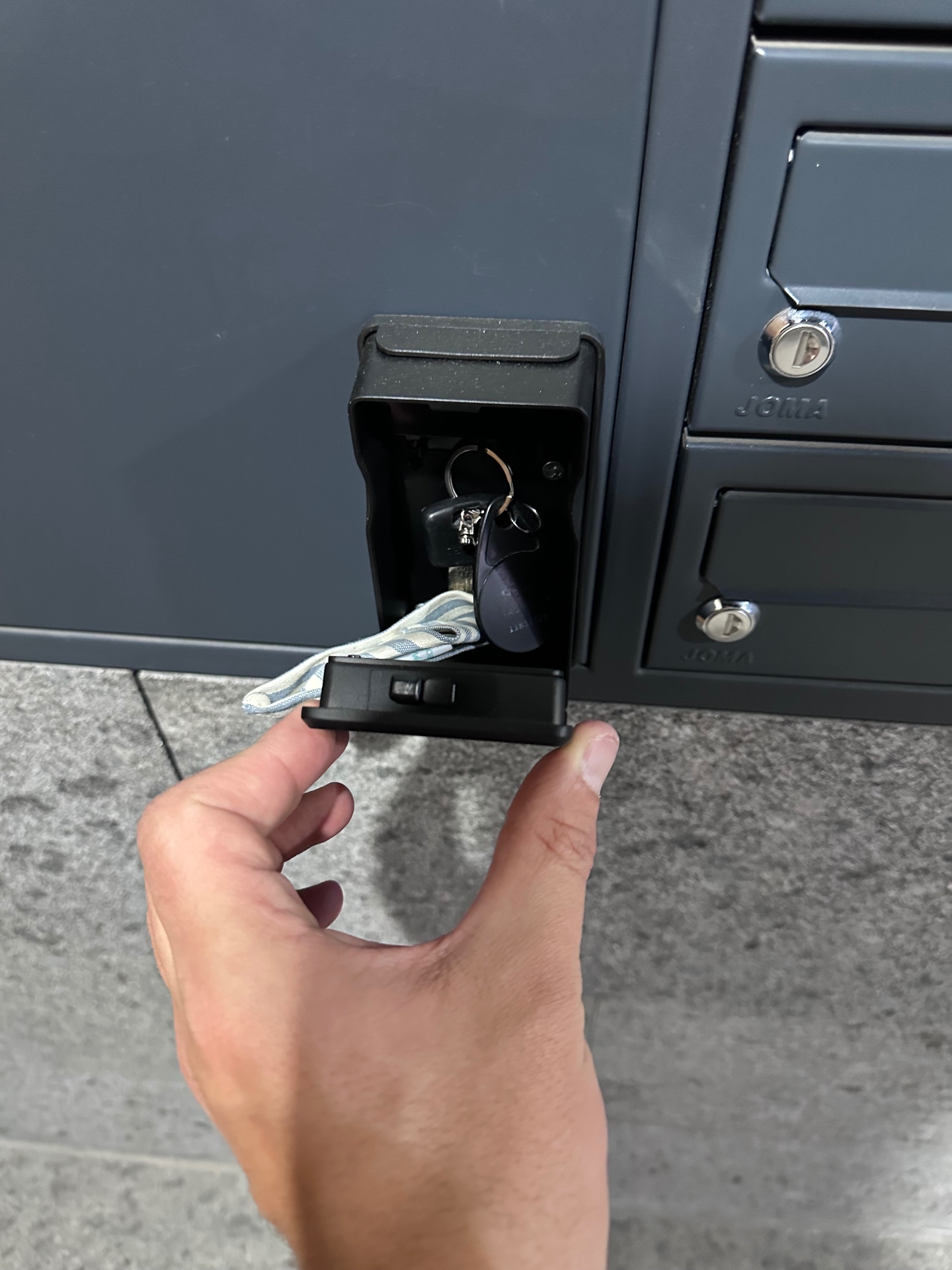
How to Check In at Downtown Opia 5
How to Check In at Downtown Opia 9
Step 3

Open the lockbox and take the key for the building and apartment door out of it.
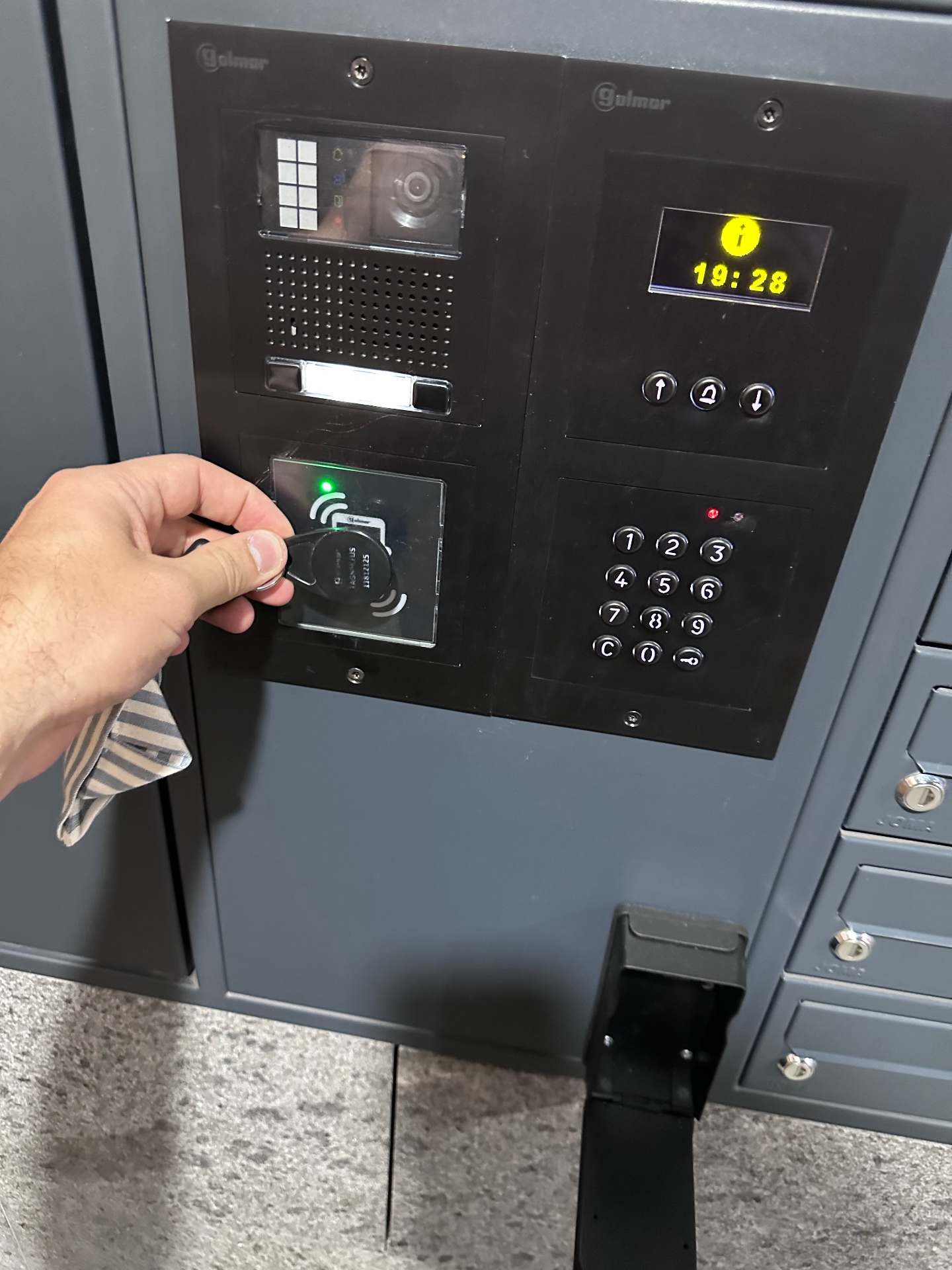
How to Check In at Downtown Opia 9
How to Check In at Downtown Opia 13
Step 4

Open the front door by placing the black chip on the reader.
How to Check In at Downtown Opia 13
How to Check In at Downtown Opia 17
Step 5

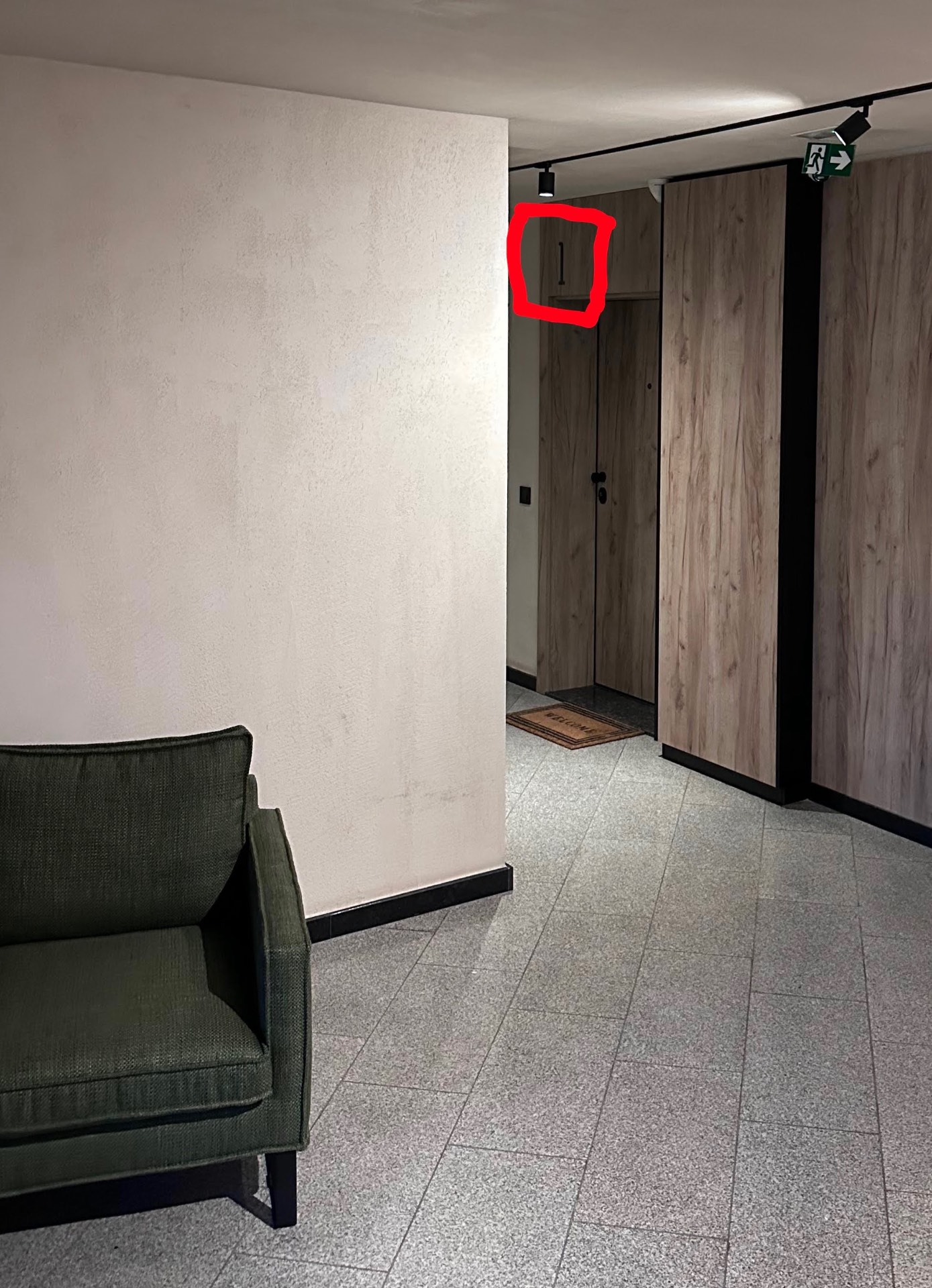
Continue down the hallway and enter Apartment 1, on the ground floor.
How to Check In at Downtown Opia 17

How to Access the Private Parking Space

How to Check In at Downtown Opia 21
Step 1

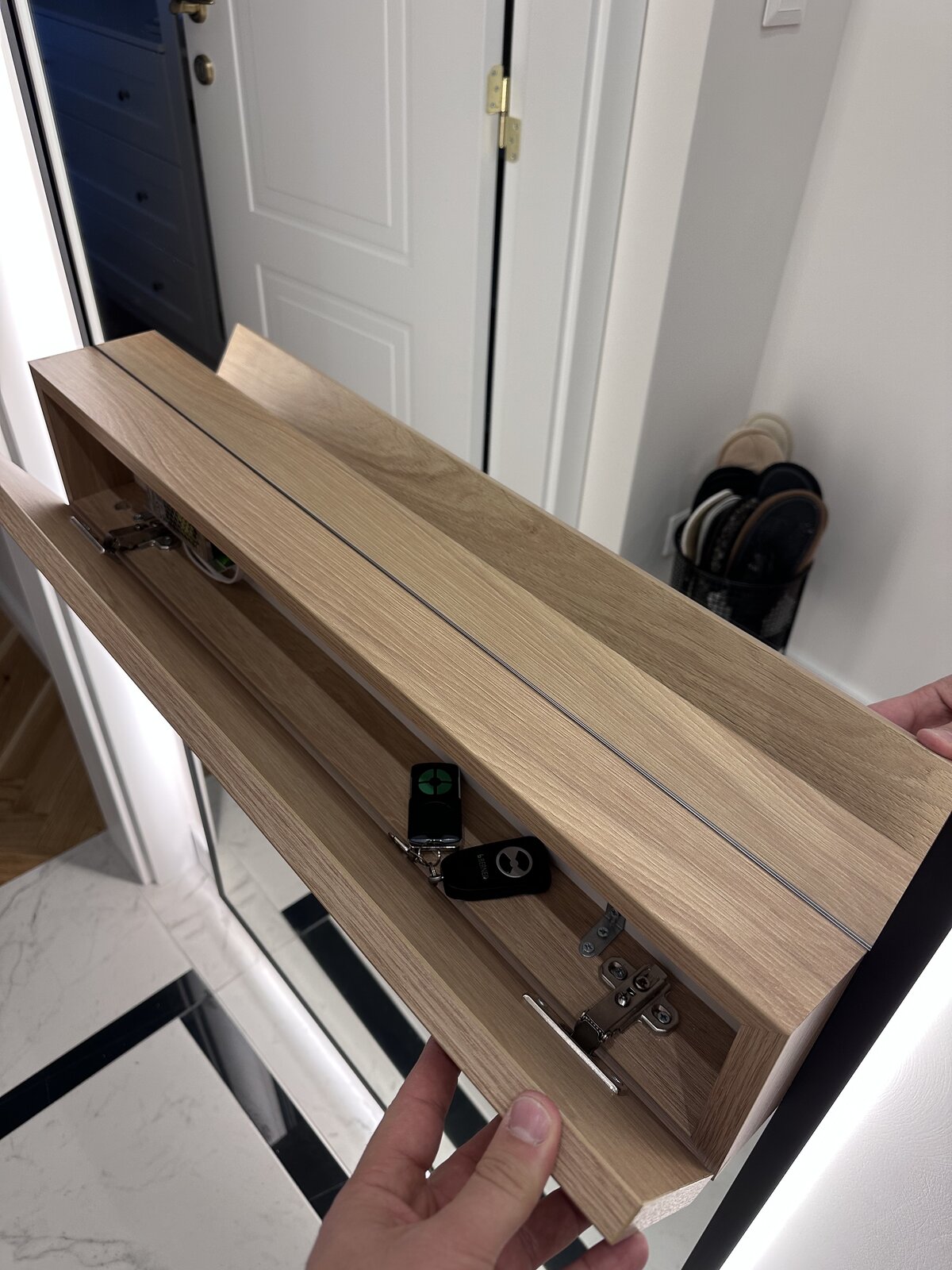
Get the remote controls. Once you're inside the apartment, open the small closet by the mirror in the apartment's hallway.
How to Check In at Downtown Opia 21
How to Check In at Downtown Opia 25
Step 2

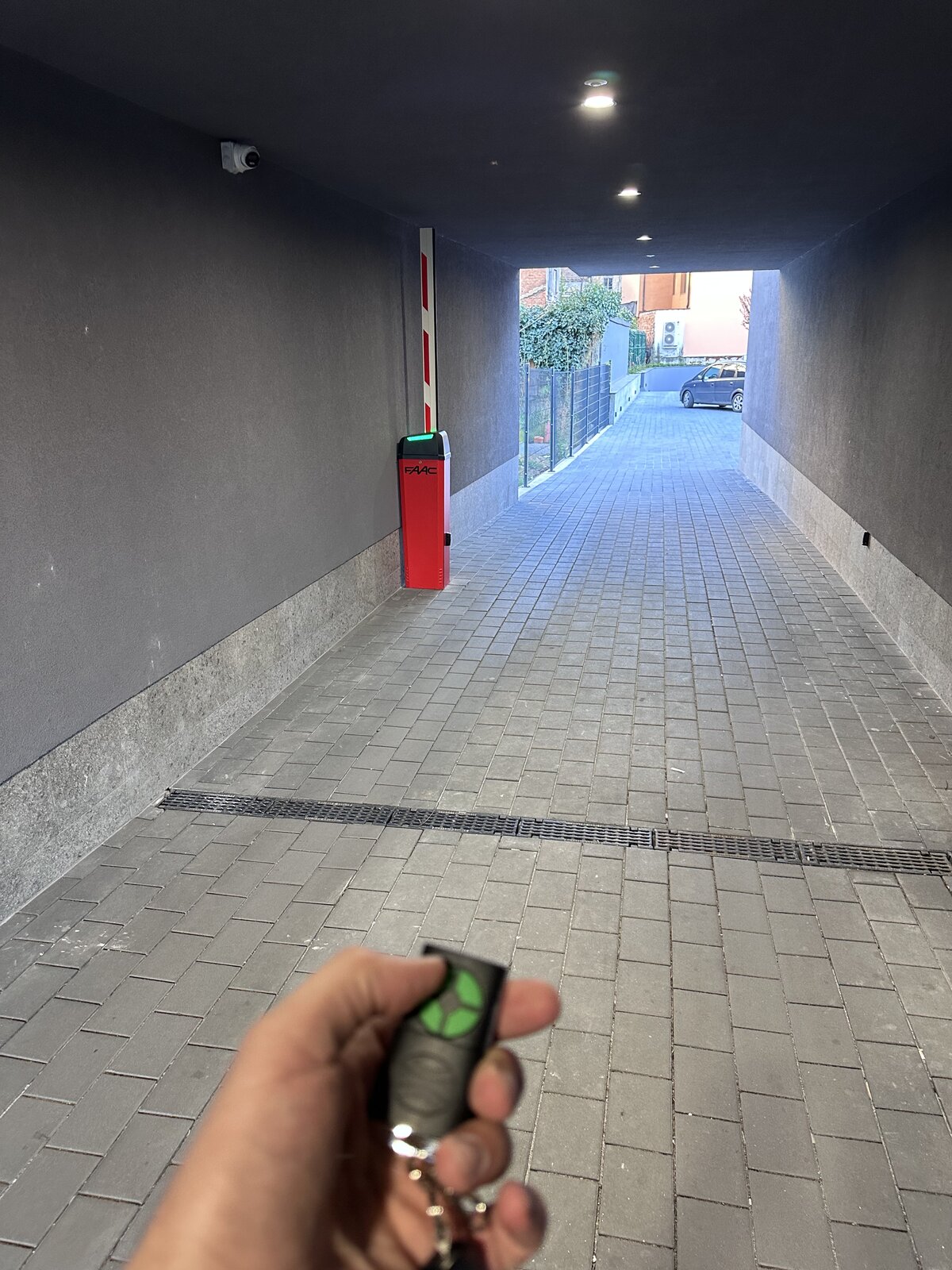
Open the barrier by pressing the button on the remote as shown below.
How to Check In at Downtown Opia 25
How to Check In at Downtown Opia 29
Step 3
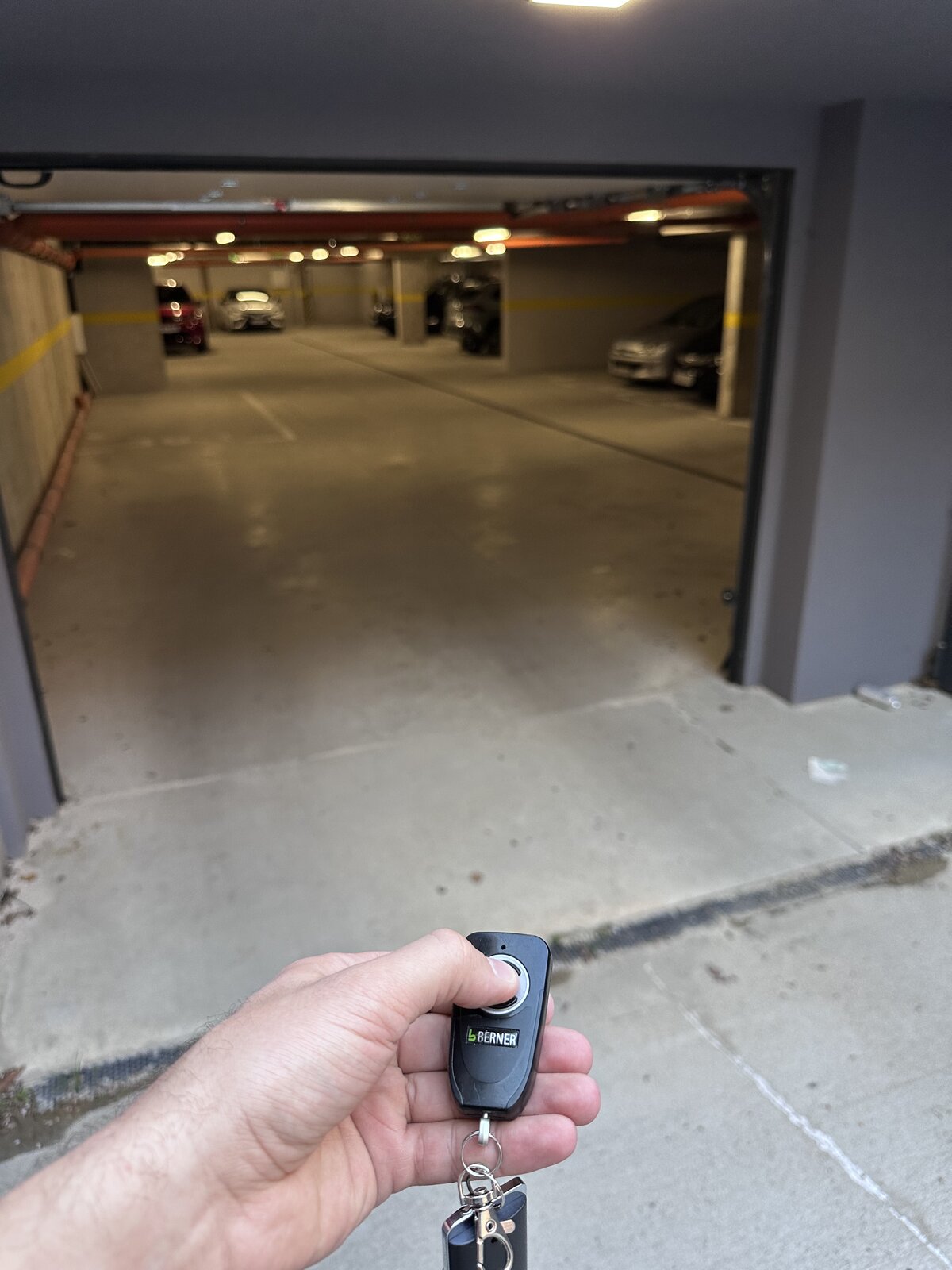
Continue straight ahead and go down the ramp to level −1.

Open the underground garage door by pressing the button on the other remote, as shown below.
How to Check In at Downtown Opia 29
How to Check In at Downtown Opia 33
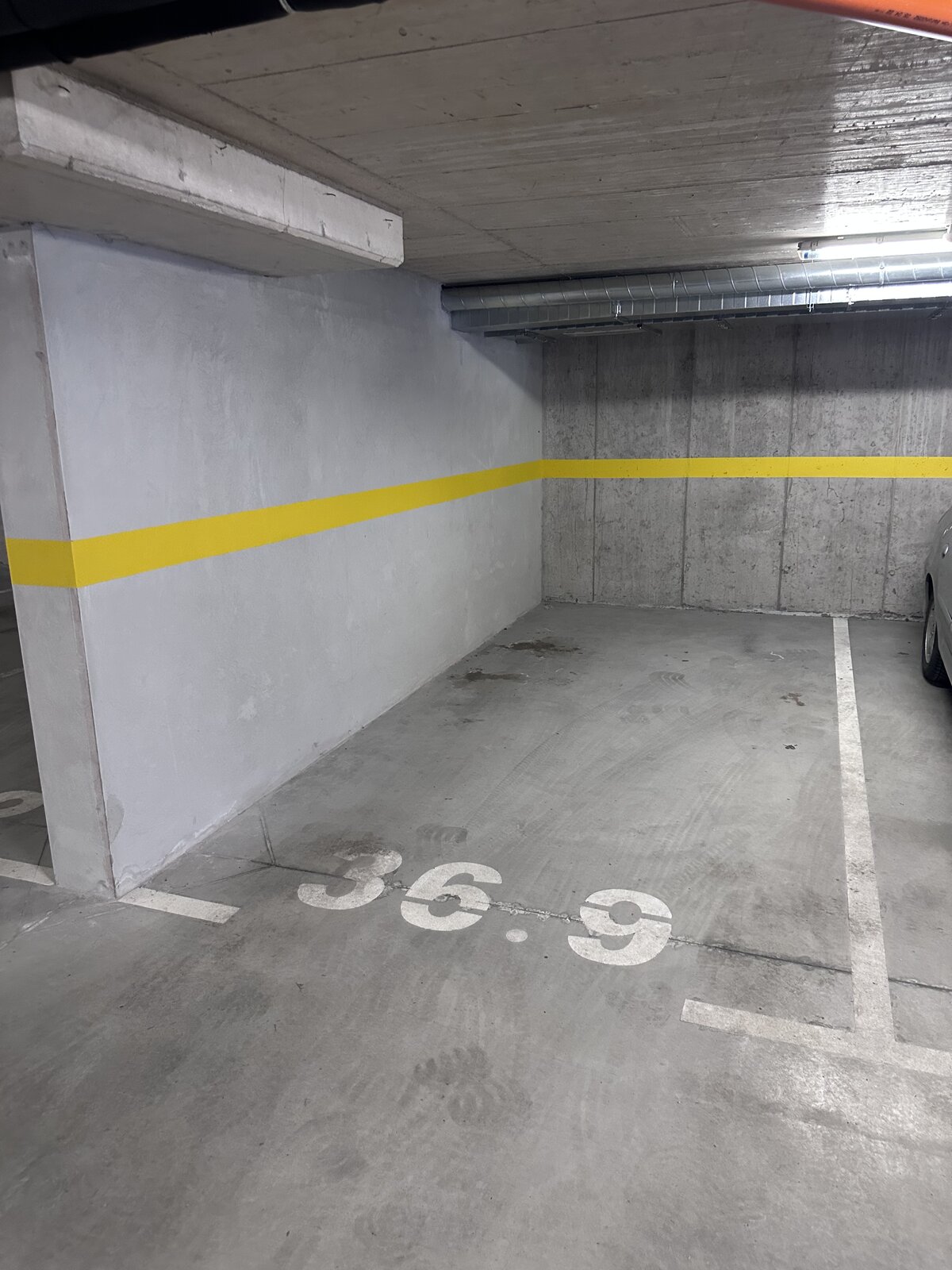
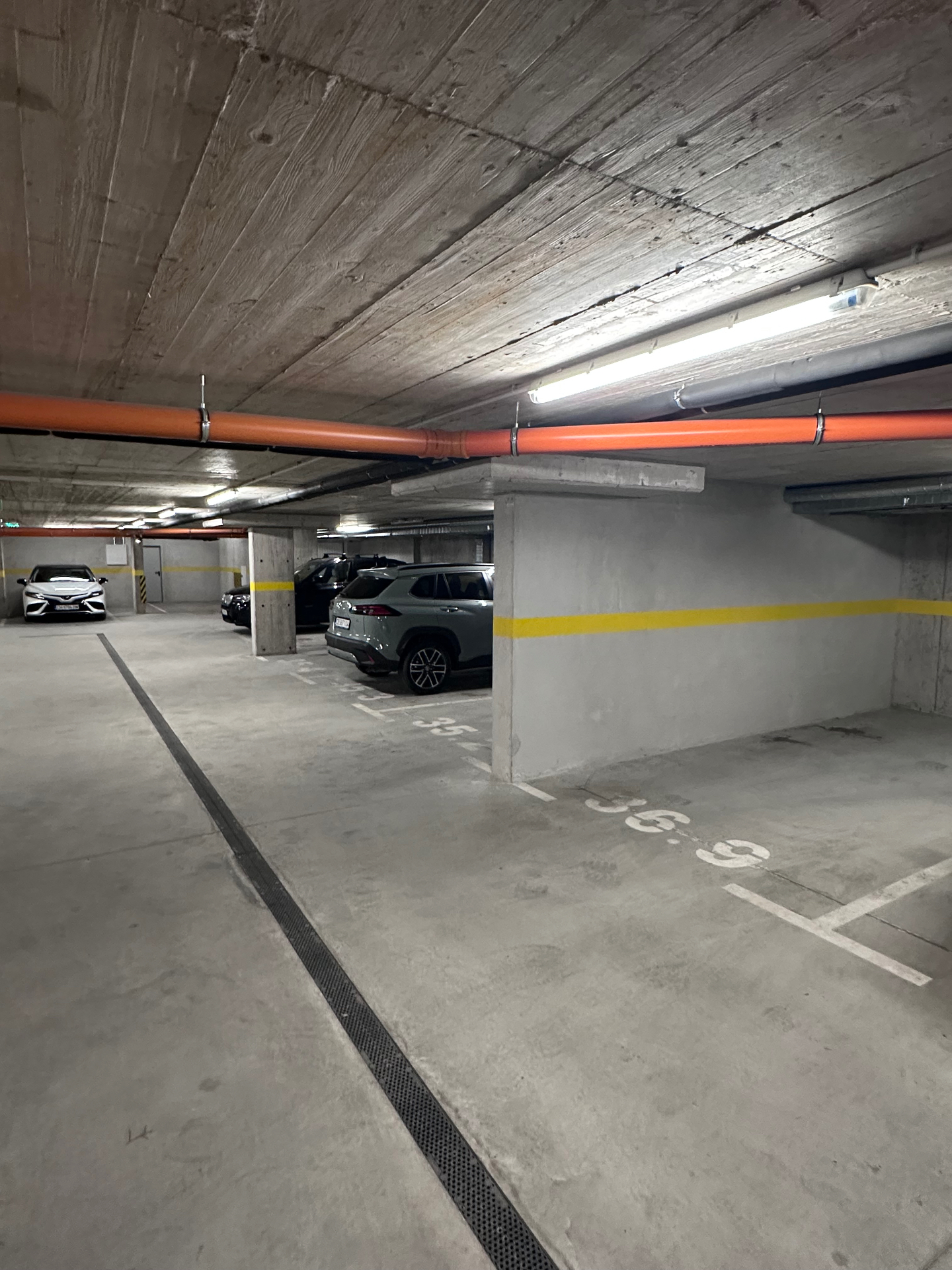
Step 4

Park in parking spot 36.9. It is located in the middle of the right row, right next to the wall.
How to Check In at Downtown Opia 33
How to Check In at Downtown Opia 37
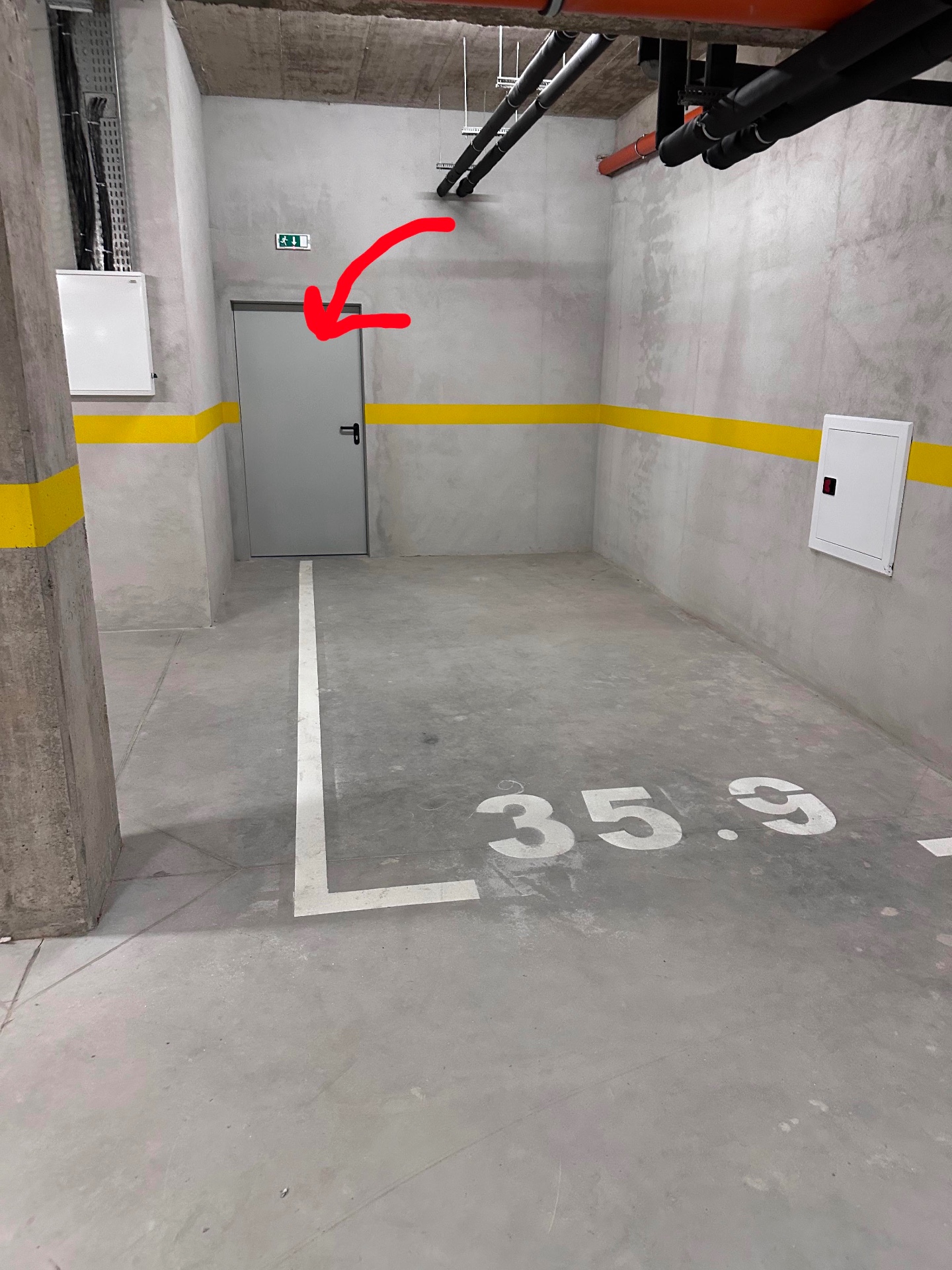
Step 5

Go down the parking lot toward the gray door.
How to Check In at Downtown Opia 37
How to Check In at Downtown Opia 41
Step 6

Enter the building through the gray door and go to the ground floor (press the button marked 1 in the elevator).

How to Check In at Downtown Opia 41