How to check in the apartment?

How to check in Luxury 2 Bedroom Apartment | Private Garden 1
Step 1

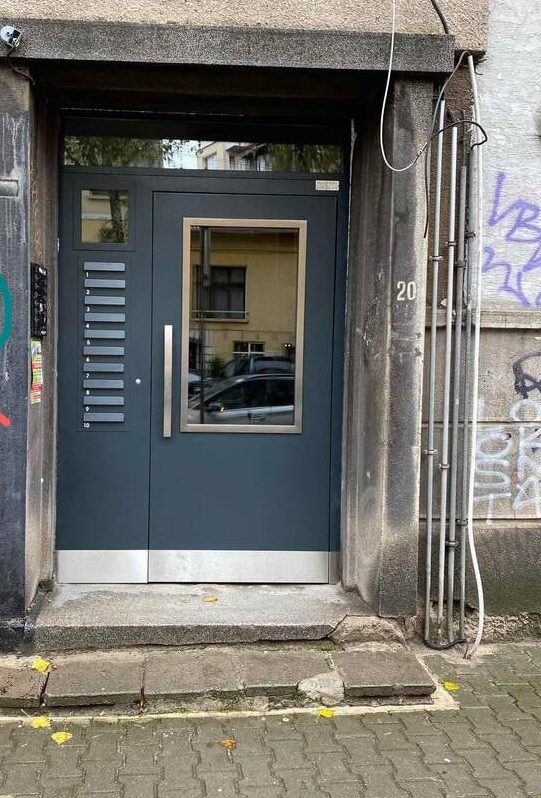
🚪The main door of the building

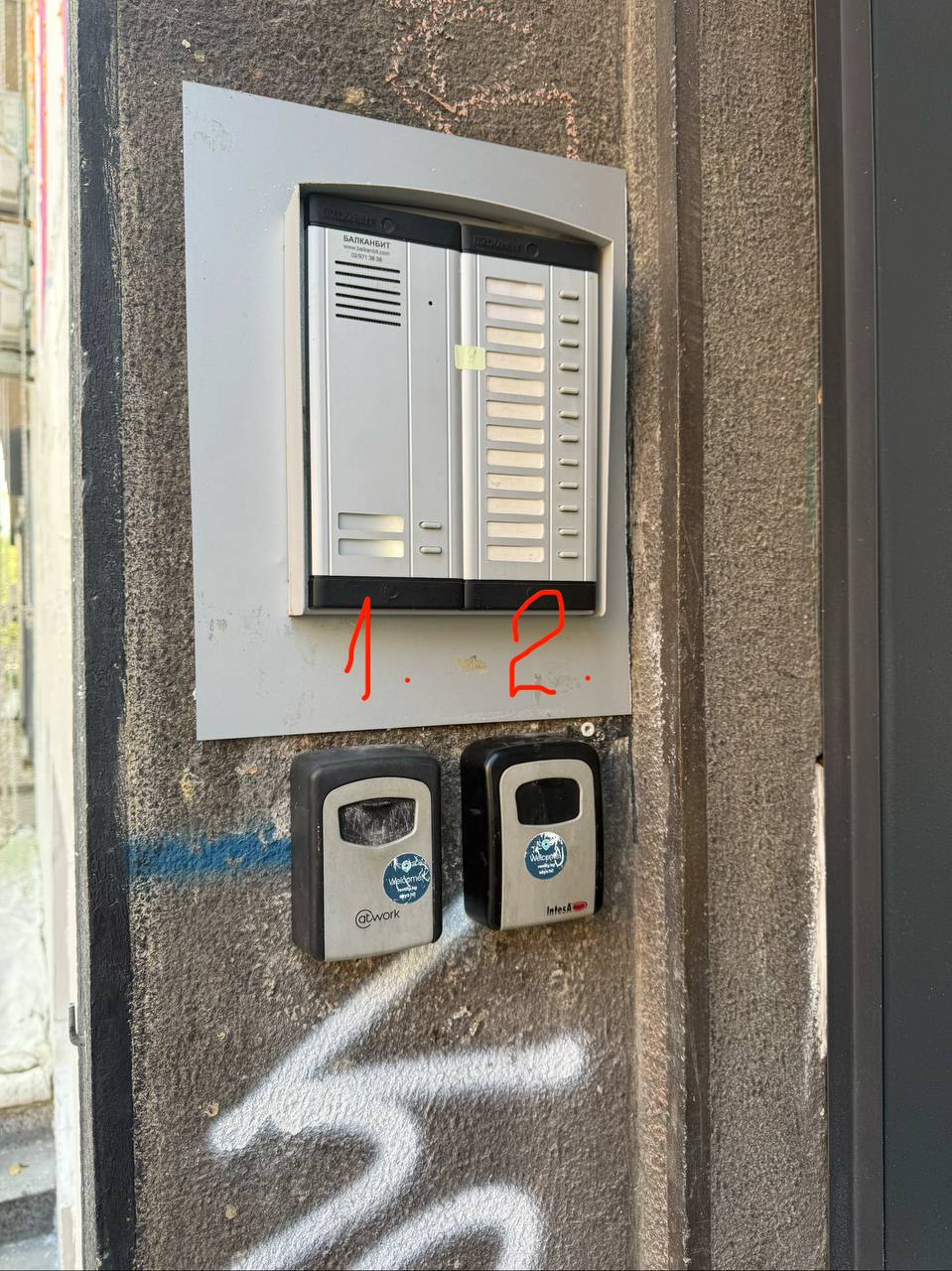
The lockbox is located on the left hand side.
How to check in Luxury 2 Bedroom Apartment | Private Garden 1
How to check in Luxury 2 Bedroom Apartment | Private Garden 5
Step 2

🔐 Your lockbox is number 2 (the one on the right).
Use the code 0214 to open the lockbox.
Please jiggle the numbers and put the black lid up again.
How to check in Luxury 2 Bedroom Apartment | Private Garden 5
How to check in Luxury 2 Bedroom Apartment | Private Garden 9
Step 3

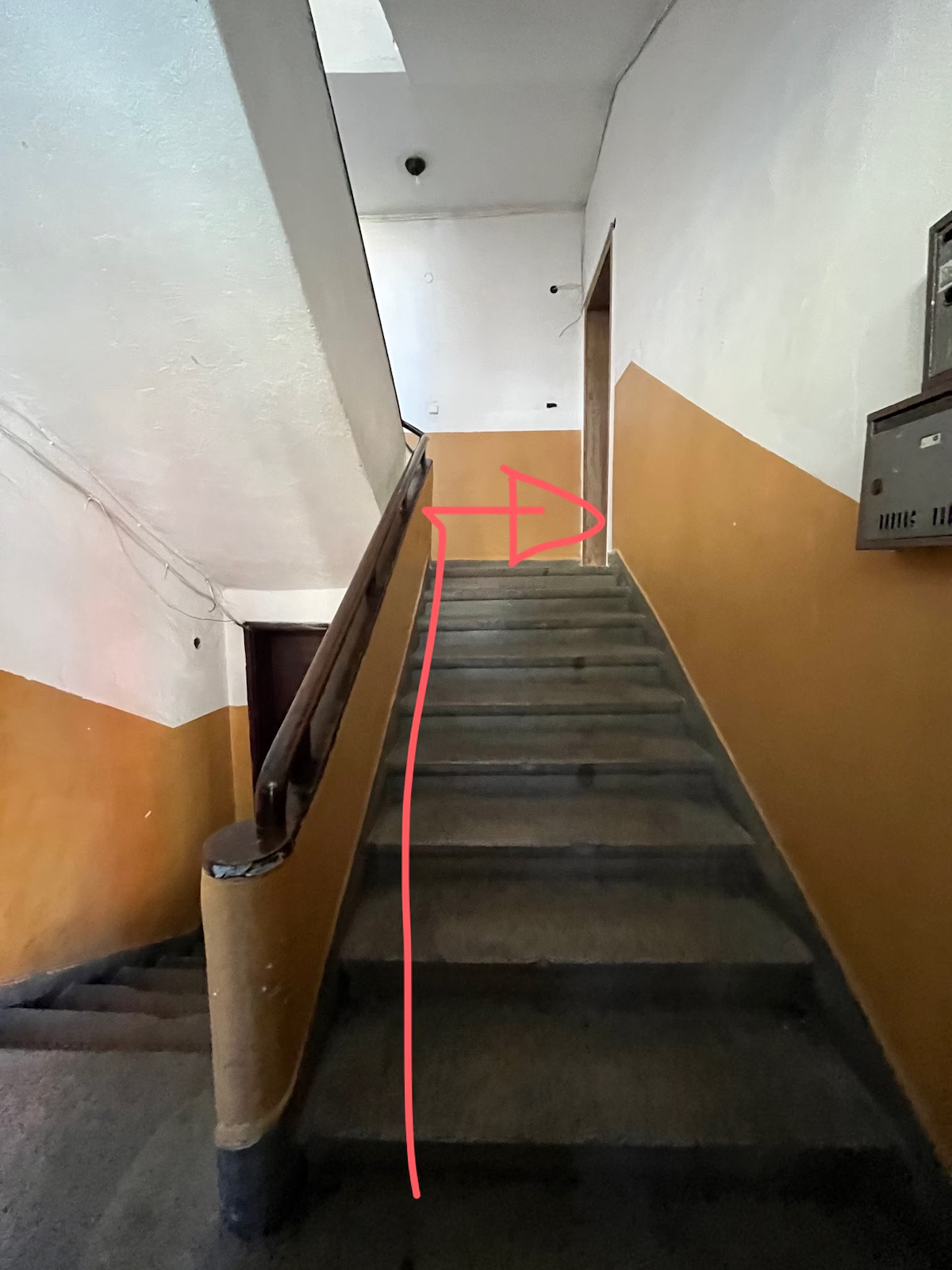
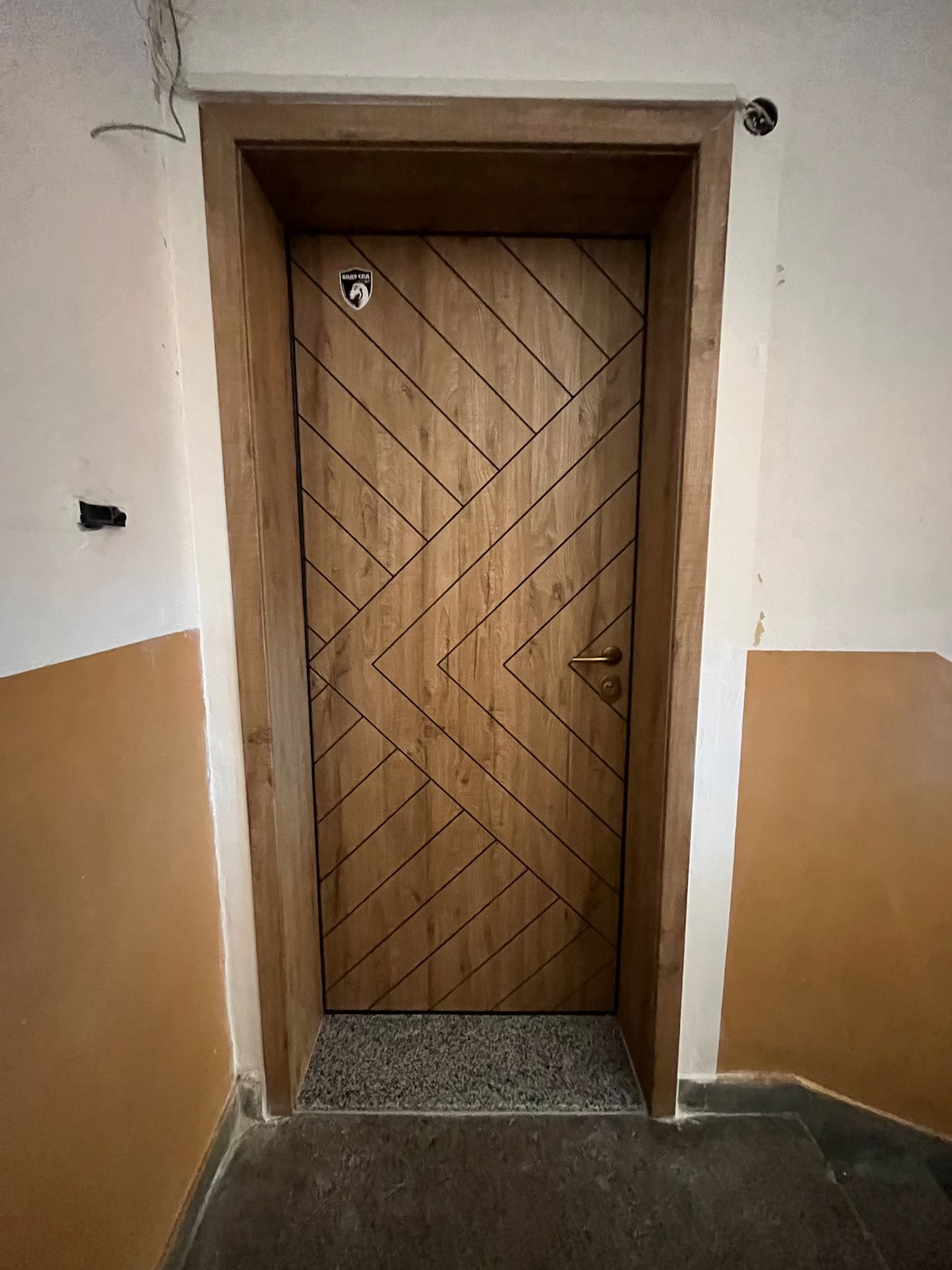
🚪 When you enter the building, climb the stairs to the first floor and our door is on the right side.
How to check in Luxury 2 Bedroom Apartment | Private Garden 9
How to check in Luxury 2 Bedroom Apartment | Private Garden 13
Step 4

Here is our door 🚪
Please welcome! ❤️
How to check in Luxury 2 Bedroom Apartment | Private Garden 13
How to check in Luxury 2 Bedroom Apartment | Private Garden 17
Step 5

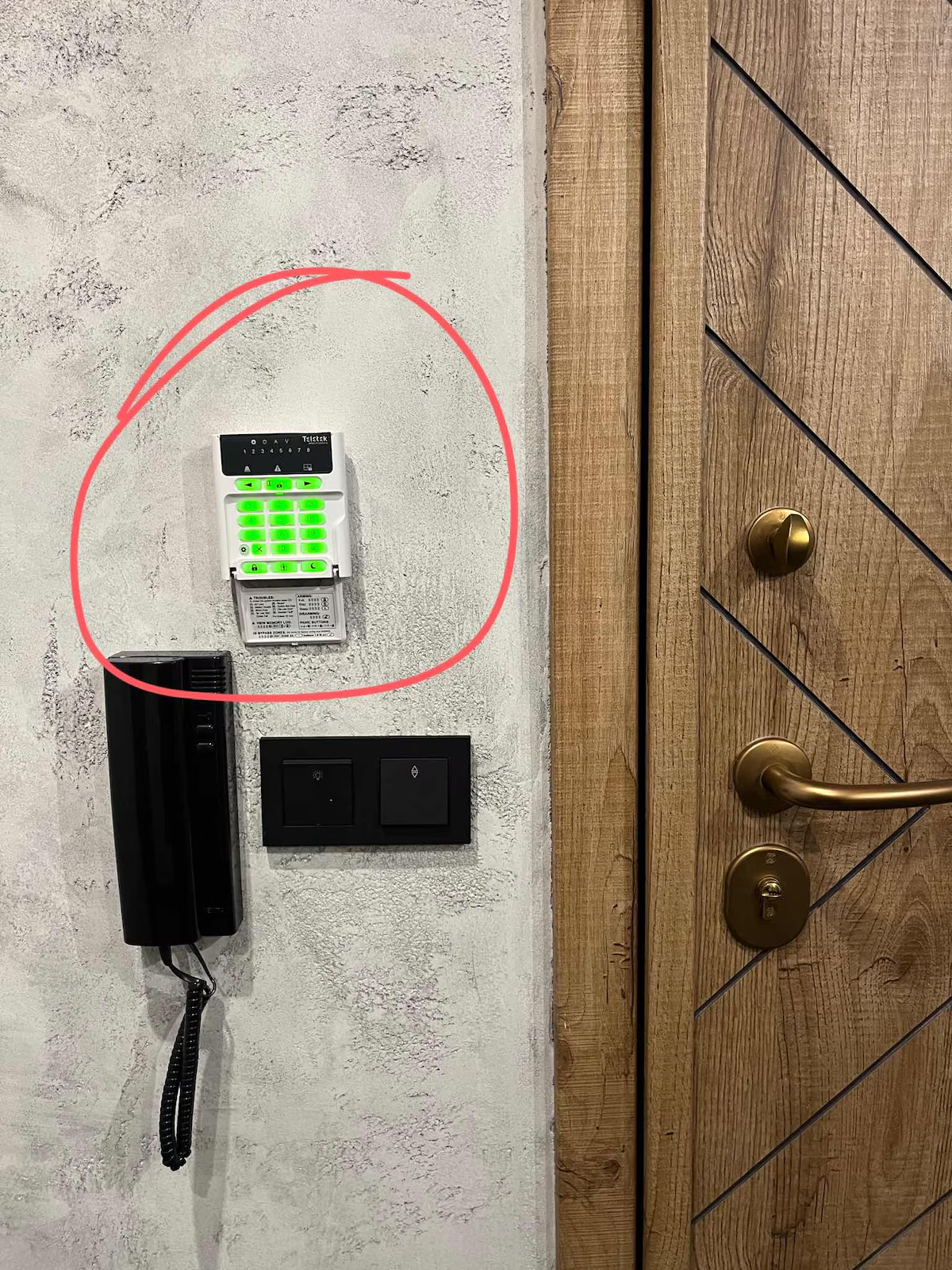
‼️Be aware that our security system will be on and you will have to stop it.
You can use it for your convenience when you are out if you need

Follow the instructions in the next photo to stop the security system or to turn it on again.
How to check in Luxury 2 Bedroom Apartment | Private Garden 17
How to check in Luxury 2 Bedroom Apartment | Private Garden 21
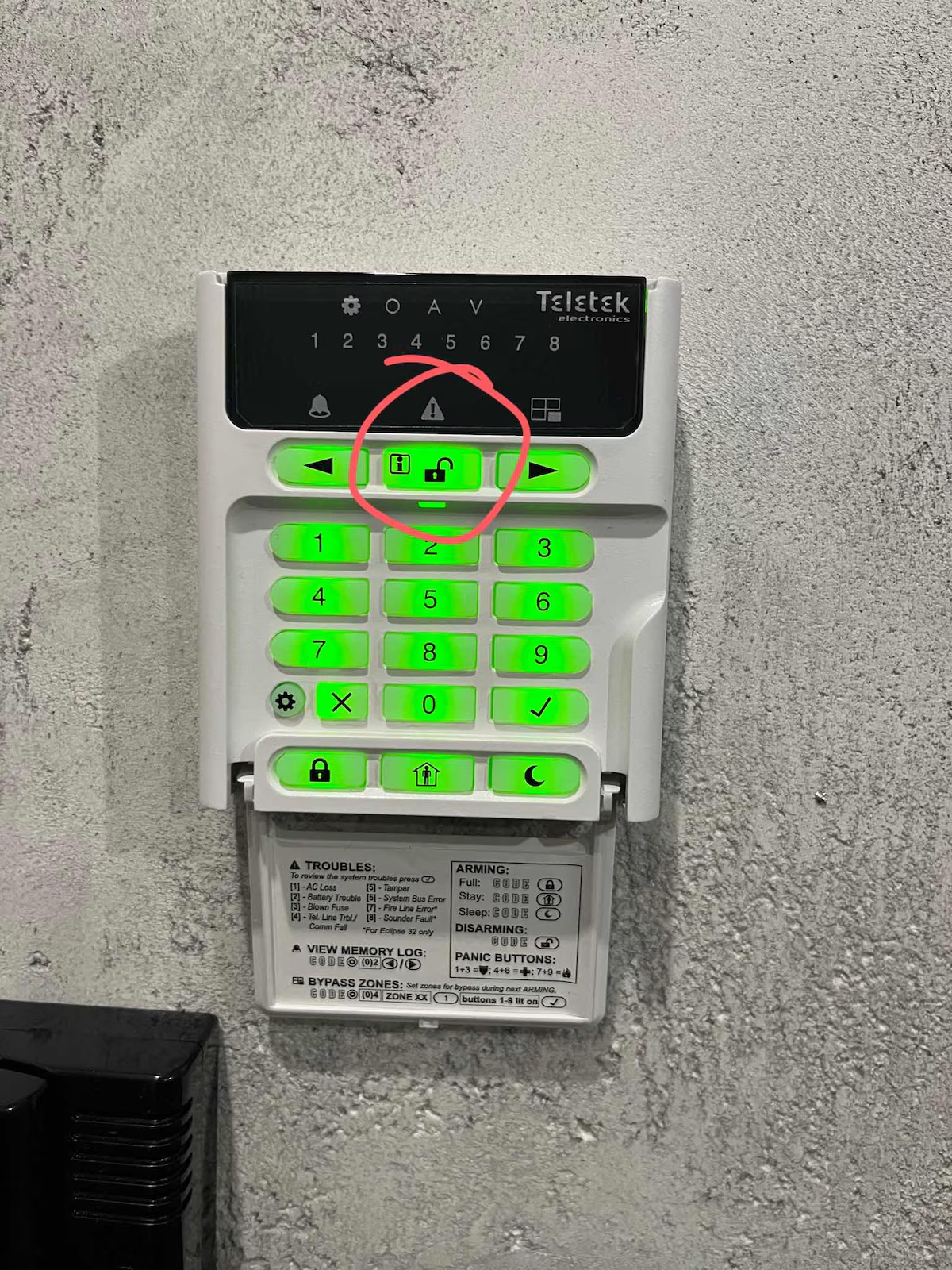
Step 6

‼️Use the code 0220 and than push the button with an open padlock to stop the security system.
How to check in Luxury 2 Bedroom Apartment | Private Garden 21
How to check in Luxury 2 Bedroom Apartment | Private Garden 25
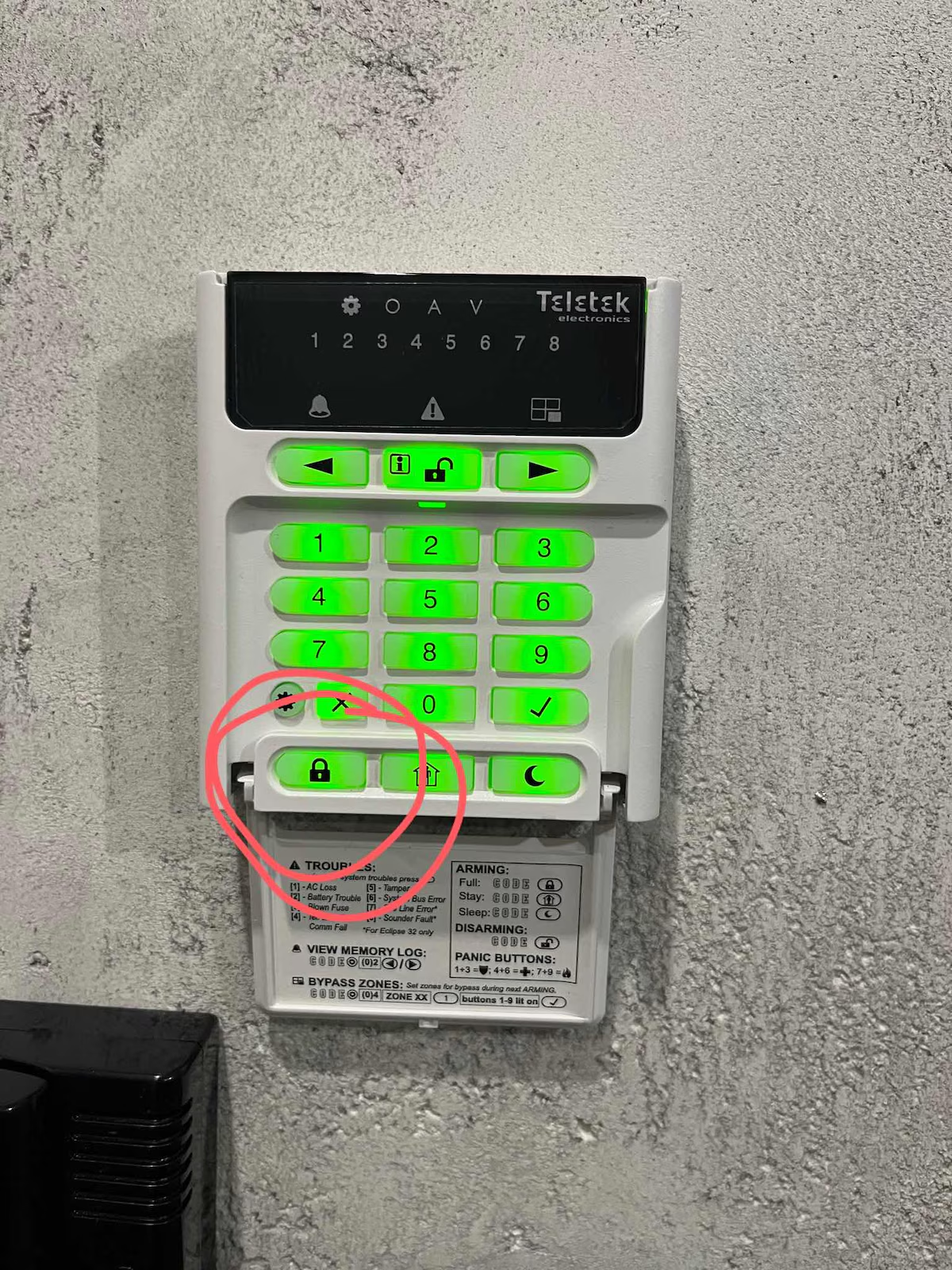
Step 7

‼️If you want to turn on the security system you have to just hold your finger on the button with the padlock and it will be on.

How to check in Luxury 2 Bedroom Apartment | Private Garden 25